Sender Rotation for Email: A Practical Strategy

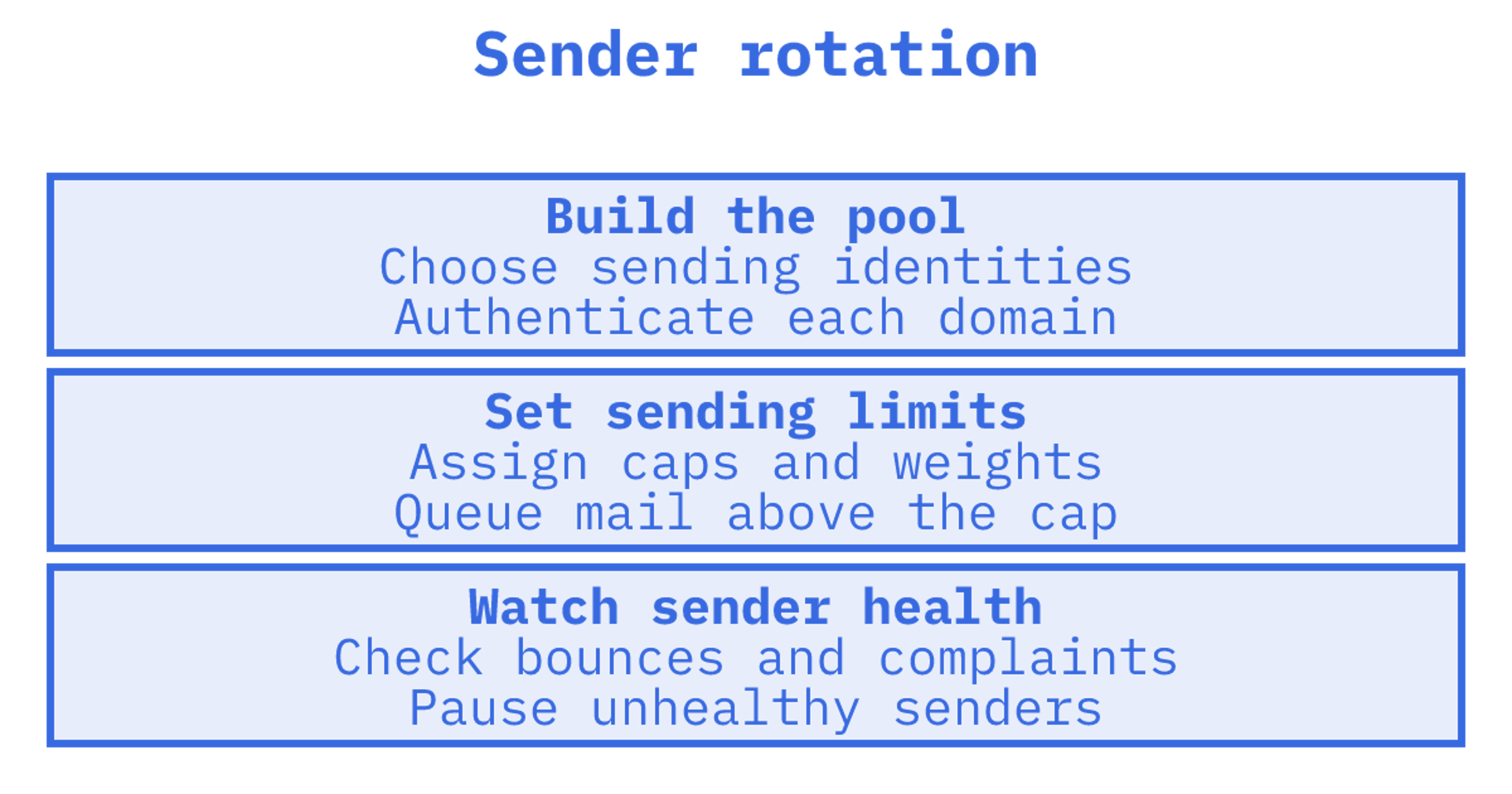
Sender rotation means spreading outbound email across several mailboxes, domains or sending providers, so no single identity carries all the volume or all the risk. Done well, it keeps each sender inside sensible daily limits and lets you pull a struggling identity out without stopping the whole programme. Done badly, it is an expensive way to scale a problem. This guide covers how rotation works, how to build a pool, how to set caps and rest periods, which signals to watch, and when to pause or replace a sender.
TL;DR
- Rotation spreads volume and risk. It does not fix a weak list, poor targeting or missing authentication, and it is not a way around provider rules.
- Mailbox rotation only partly isolates reputation, because reputation still builds at the domain level. Domain rotation isolates it fully but adds DNS and monitoring work.
- Assign each prospect to one sender for the whole sequence, enforce a separate daily cap per mailbox, and weight newer senders lower.
- Watch bounces, complaints, deferrals and authentication results per sender, and cut weight quickly when they drift.
- Route at the provider layer as well: weighted delivery and failover across Gmail, Outlook, SMTP and Amazon SES keeps one provider's limits from stalling a send.
Table of Contents
What sender rotation actually means
There are three layers you can rotate, and teams often blur them.
Mailbox rotation cycles outbound messages across several addresses, often on the same domain. Domain rotation spreads volume across several sending domains or subdomains. Provider rotation routes the same stream through different delivery paths, such as a Gmail account, an Outlook account, an SMTP relay or Amazon SES.
The difference between the first two matters most. According to one cold outreach deliverability guide, mailbox rotation gives only partial reputation isolation: volume is spread across mailboxes, but reputation still accumulates at the domain level. A separate domain, with its own DNS, authentication and mailboxes, is tracked independently of your primary domain.
In practice, that means ten mailboxes on one domain share one fate. If that domain picks up complaints, all ten feel it. Ten mailboxes spread over three domains share risk more narrowly.
Why teams rotate senders, and what it cannot do
The reasons are practical.
- Daily limits per account. Mailbox providers and your own policies cap how much one account should send. Spreading 40 emails across 25 accounts keeps each far below any sensible ceiling.
- Blast radius. When one identity hits trouble, the others keep working.
- Protecting the primary domain. Outbound prospecting is usually kept on separate domains or subdomains from customer and team email, so a bad week in outreach never touches invoices or support replies.
- Provider resilience. If one provider rate-limits or suspends an account, traffic shifts elsewhere.
What rotation cannot do is make unwanted email wanted. Mailbox providers judge content, engagement and complaints. Rotation also does not excuse you from authentication rules. Microsoft's support documentation says that senders of 5,000 or more messages to Outlook.com using the same From domain must have passing SPF and DKIM, a DMARC record, and SPF or DKIM aligned with the From domain. Once a From domain is classed as high volume, every sender using it meets that bar. Adding domains means adding authentication work, not escaping it. Our SPF, DKIM and DMARC setup guide walks through that setup.
The most useful framing: rotation is risk management for a sound programme, not a rescue for an unsound one.
How to build a sender rotation strategy
Start with the structure of your identities
Decide what lives where before you decide how to rotate. MailWarm advises separating domains or subdomains by use, for example cold outreach, marketing, one-to-one communication and support. It also notes that more domains spread risk but add DNS, monitoring and operational complexity. That trade-off is real, so grow the pool at the pace you can monitor it.
A workable starting layout for an outbound team:
- Keep your primary domain for customers, staff and transactional mail.
- Register a small number of secondary domains for prospecting, each with SPF, DKIM and DMARC in place.
- Create a few mailboxes per domain, each with a real name and a real signature.
- Put every mailbox in a pool with its own cap and weight.
Warm before you route
Rotation works best when the pool is made of identities that already have a track record. MailWarm recommends warming each mailbox before routing live messages through it, starting with low caps and raising them only after consistent acceptance and replies. Pushing fresh accounts straight to full volume is the usual way pools burn.
Keep a prospect with one sender
This is the rule teams most often break. BulkMailCheck's guide recommends assigning each prospect to one mailbox for the entire sequence, so follow-ups and replies come from the same sender rather than rotating message by message. A prospect who gets email one from Sam and email two from a stranger sees something odd, and threading breaks too.
Rotate between prospects, not within a conversation.
Rotate across providers, not just addresses
If all your mailboxes sit with one provider, a single rate limit or suspension can stop everything. Routing across Gmail OAuth, Outlook, SMTP and Amazon SES gives the pool a second dimension of resilience. Qubrics supports provider-level routing for configured sending accounts. The product section below covers how it works.
Setting caps, rest periods and throttling
A rotation scheme is only as good as its limits. Four controls matter.
A cap per mailbox. BulkMailCheck says a scheduler should enforce a separate daily cap for each mailbox and queue excess work for a later day instead of breaching the cap. The queue is the safety valve: when the pool is full, mail waits. Our guides to email rate limiting with queues and retries and cold email batching cover the mechanics.
Weighted distribution. MailWarm recommends that newer or less-established mailboxes receive less volume. A pool of five mailboxes does not need an equal split. A mailbox in its third week might take a quarter of the share of a mature one.
Randomised order and small gaps. Sending in a rigid pattern, one message every 60 seconds on the dot, looks like automation. MailWarm suggests randomised sending order with small gaps.
Automatic back-off. The same guide recommends cutting a mailbox's weight for 48 to 72 hours after rate limits or soft bounces. Treat that as a starting point and tune it against your own results.
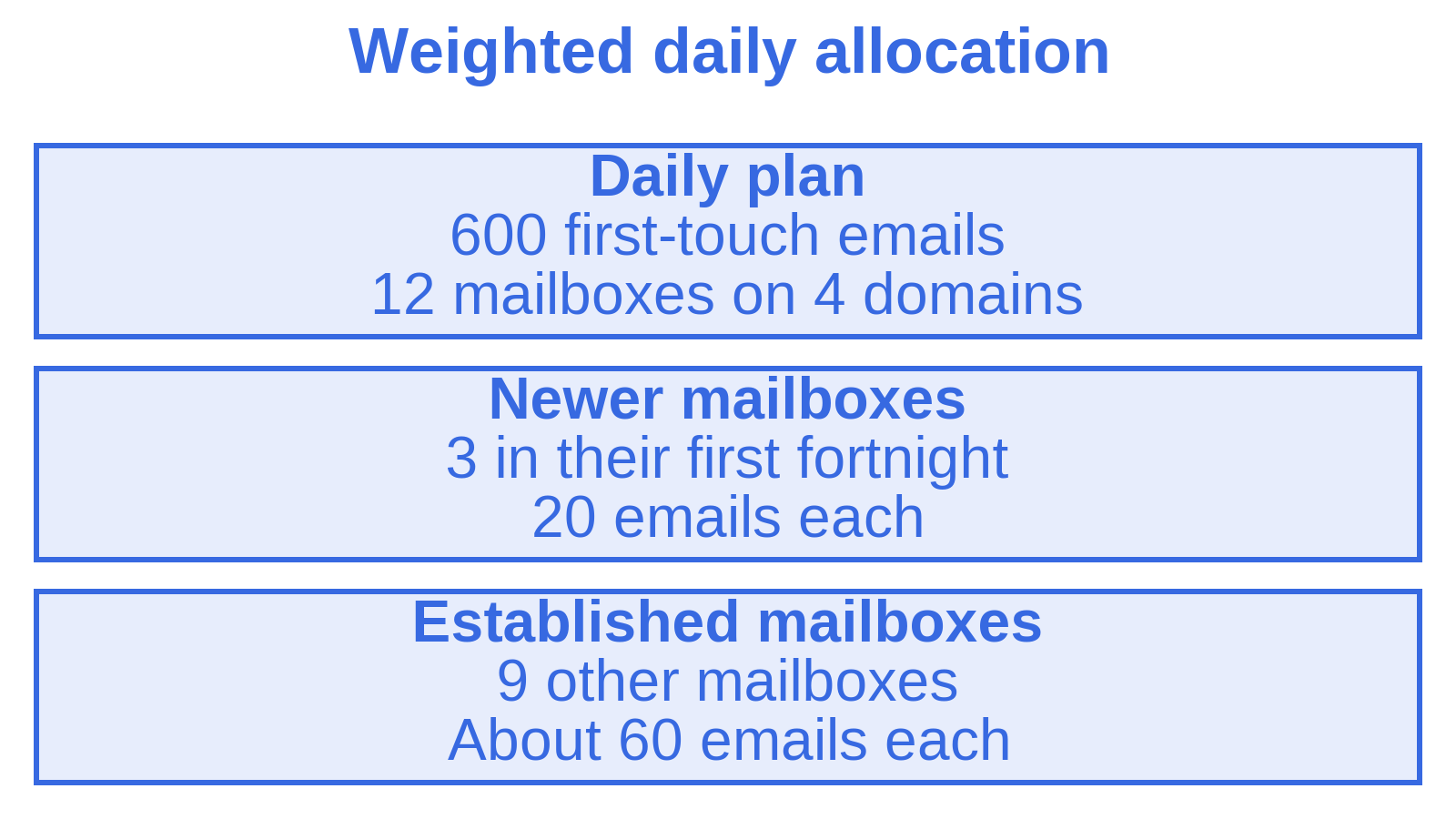
A simple worked example: you want 600 first-touch emails a day. With 12 mailboxes across four domains, the even share is 50 each. If three are in their first fortnight, you might give those 20 each and lift the other nine to about 60. Anything beyond a mailbox's cap queues to tomorrow rather than spilling onto a stressed sender.
Signals to watch for each sender
Track the pool per sender, not as one blended number. Blended averages hide the one mailbox that is quietly failing.
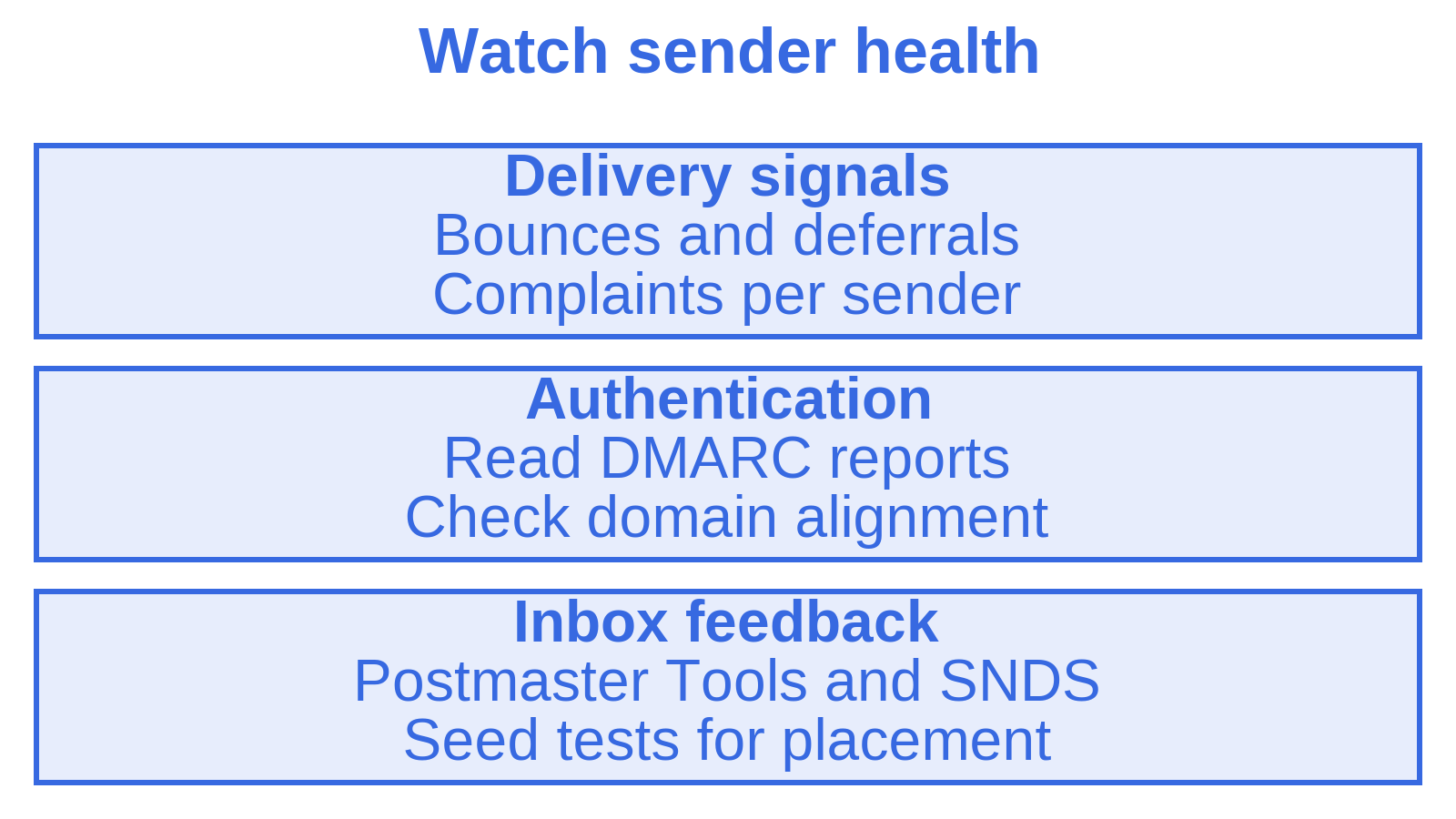
One monitoring guide describes four layers of signal: send data from your provider (volume, accepted mail, bounce reasons, complaint webhooks), authentication results from DMARC aggregate reports, mailbox-provider feedback such as Google Postmaster Tools and Microsoft SNDS, and inbox placement from seed testing. It suggests alerting at a hard bounce rate above 2%, a soft bounce rate trending above 5%, a complaint rate above 0.10%, a deferral rate above 5% and a DMARC failure rate above 1% from any aligned source. These are one publisher's suggested alert levels, so use them as a starting set and adjust to your own baseline.
A second set of deliverability guidance suggests investigating when spam rate passes 0.10%, authentication pass rates fall below 99% or inbox share drops below 90%. It also says hard bounces and complaints should flow into a suppression store through your event pipeline, so a bounced address is never mailed again from any sender in the pool. That last point matters for rotation: suppression has to be shared across the whole pool, or mailbox B will happily hit an address mailbox A already bounced. Our bounce handling guide shows how to wire this up with webhooks.
If you are comparing tools for this work, see our comparison of email deliverability tools.
The risks, and when to pause or replace a sender
Rotation has genuine failure modes.
- Shared-domain false comfort. Many mailboxes on one domain look like diversification but share domain reputation.
- Operational sprawl. Every extra domain needs DNS, authentication and monitoring. Neglected domains fail silently.
- Inconsistent conversations. Changing sender mid-sequence confuses prospects and breaks threads.
- Rotating to hide a problem. If the cause is a poor list or weak targeting, new senders only inherit the same complaints.
Use simple rules to pause or replace:
| Signal | Suggested action |
|---|---|
| Rate limit or soft bounces from a provider | Cut weight for 48 to 72 hours, then ramp slowly |
| Hard bounce rate above your alert level | Pause the sender, clean the list, check the data source |
| Complaint rate near 0.10% | Pause, review copy and targeting, check unsubscribe handling |
| Authentication failures on a domain | Fix DNS and alignment before any further sending |
| Repeated suspension by a provider | Retire the identity and route its share elsewhere |
Pause first, diagnose second, and only replace an identity once you know the cause. A signal-first approach to outbound fits this thinking: let negative delivery signals decide who sends, rather than a fixed calendar.
How Qubrics handles rotation at the provider layer
Most rotation advice stops at mailboxes. For teams building AI agents and outbound tools, the harder problem is the plumbing: provider limits, failover, replies and logs, usually in several separate systems.
Qubrics routes outbound mail through the Sending API. Connect Gmail OAuth, Outlook or custom SMTP sending accounts. Qubrics also offers managed Amazon SES. You can set outbound quotas on custom SMTP accounts and weight traffic across eligible providers. Use the Management API for delivery logs and webhooks for bounce and complaint events. Persistent mailboxes receive replies, and the Mailbox API lets you read the threads. Domain verification covers SPF, DKIM and DMARC. See the sales outreach agent use case for how that looks in an agent-driven outbound workflow, and our Mailbox API guide for the receiving side.
See our email sending API for sending through configured providers. Account routing weights apply when several providers are eligible.
Perspective
When we talk with teams running outbound agents, the same story keeps coming up. They start with one Gmail account and an OAuth token, add a second provider when limits bite, then bolt on a parser, a webhook relay and a spreadsheet of quotas. Rotation logic ends up scattered across all of it.
Our view is that rotation belongs in the sending layer, as policy rather than glue. Per-mailbox and per-provider quotas, weights and failover should be settings you can read, not scripts nobody owns. Replies should land in a persistent mailbox that keeps the thread together, so the sender that started a conversation is the one that continues it.
Qubrics bills Free and Pro by team plan and usage, with no separate fee per inbox. Both plans support connected sending accounts. Scaling the pool should be an engineering decision, not a billing one. Rotation will not rescue a bad list, but with clean data and sensible caps, it lets an agent fleet send steadily and recover quickly when one path degrades.
Getting started and what it costs
Free is US$0 per month per team and Pro is US$7 per month per team. Enterprise pricing is custom. Connected outbound costs US$0.000500 per provider-accepted recipient occurrence. Managed sending costs US$0.000750 per provider-accepted recipient occurrence. Inbound costs US$0.000500 per distinct mailbox delivery, and storage costs US$0.02 per decimal GB-month. See the pricing page for current details. If your agents also need inboxes for replies, see inbound mailboxes.
Sources
Recommended
Frequently Asked Questions
What is sender rotation in email?
It is the practice of spreading outbound email across several mailboxes, domains or providers instead of one. The aim is to keep each sender within sensible limits and to limit the damage when one identity runs into trouble. It manages risk, but does not replace good lists and relevant content.
Does rotating mailboxes protect my domain reputation?
Only partly. Mailboxes on the same domain still share that domain's reputation, so a problem on one can affect the rest. Separate domains give fuller isolation, at the cost of extra DNS, authentication and monitoring work.
How many emails should each mailbox send per day?
There is no universal number. Start low on new mailboxes, raise caps only after steady acceptance and replies, and enforce a separate cap per mailbox with a queue for overflow. Tune the numbers against your own bounce and complaint data.
Should follow-ups come from the same sender?
Yes. Assign each prospect to one mailbox for the entire sequence, so follow-ups and replies stay consistent and threads stay intact. Rotate between prospects, not between messages in one conversation.
When should I replace a sender?
Pause when you see rate limits, rising hard bounces, complaints approaching 0.10% or authentication failures, and find the cause first. Replace an identity only when a provider keeps suspending it or its reputation does not recover after you fix the underlying issue.
