Email Idempotency Keys: How to Stop Duplicate Sends

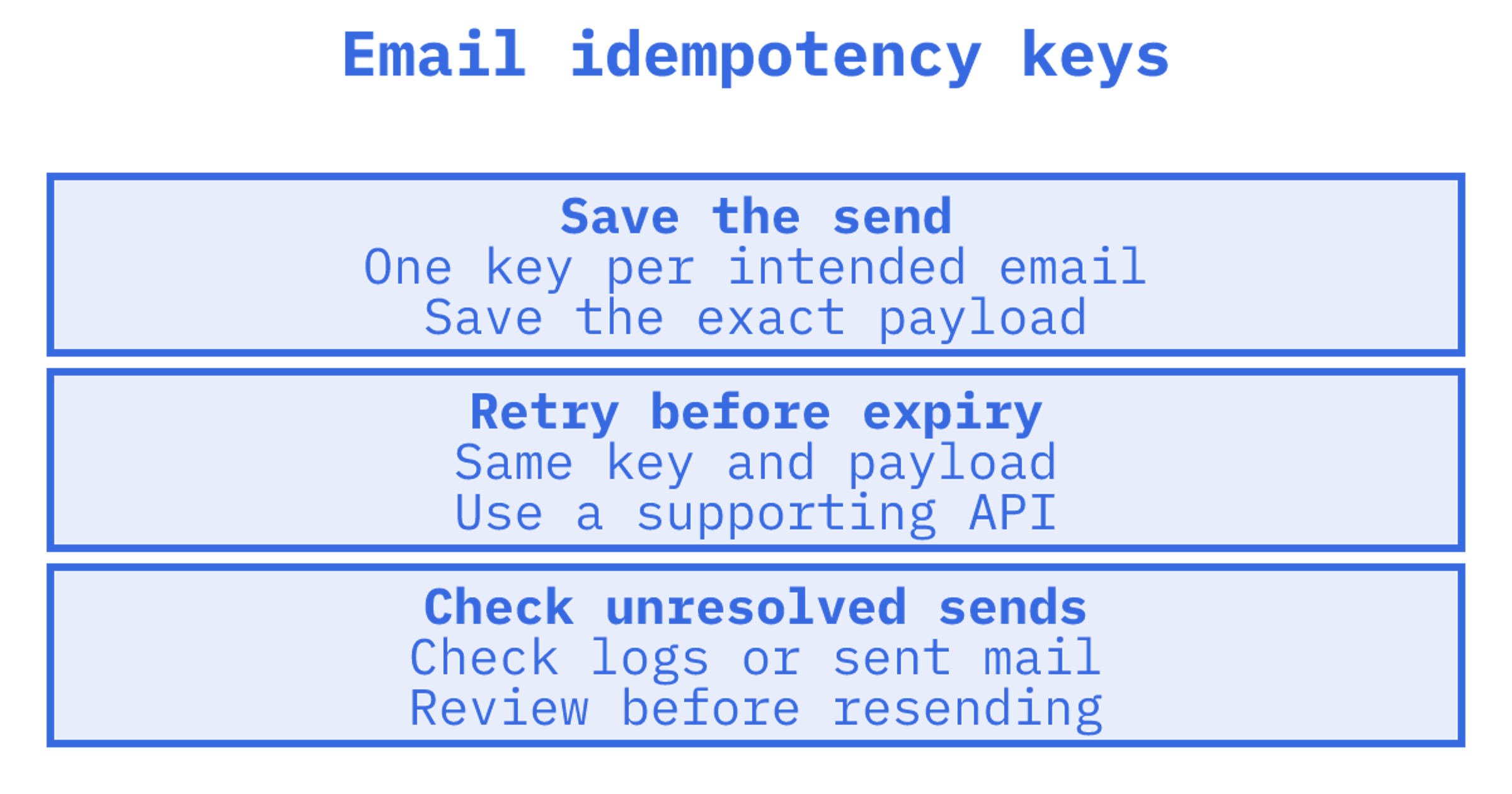
Your agent's send times out. If you try again, the customer could get two copies. Assign an idempotency key to each intended email before its first send so an API with idempotency can recognise a retry of the same request.
We'll cover how to choose email idempotency keys and reuse them within your provider's retry window. You'll also see how to check the mailbox when your agent can't tell if it sent a reply.
TL;DR
- Create and save the key before the first HTTP request. Every retry for that same email uses the saved key.
- A timeout does not prove the send failed, so retrying a side-effecting call is only safe when idempotency makes repeats harmless.
- Find out when your provider can forget a key. Stripe can prune keys that are at least 24 hours old.
- Save the business event so a webhook retry or a second job can pick up the same key. Once the provider accepts the email, track delivery separately.
- Record each intended send in a ledger. If the agent is unsure about a reply, look in the thread before it sends again.
Table of Contents
1. What an idempotency key does for email
Repeat an idempotent operation and its effect stays the same. A second read leaves an order record intact. Sending a fresh shipping email twice can put two copies in the customer's inbox.
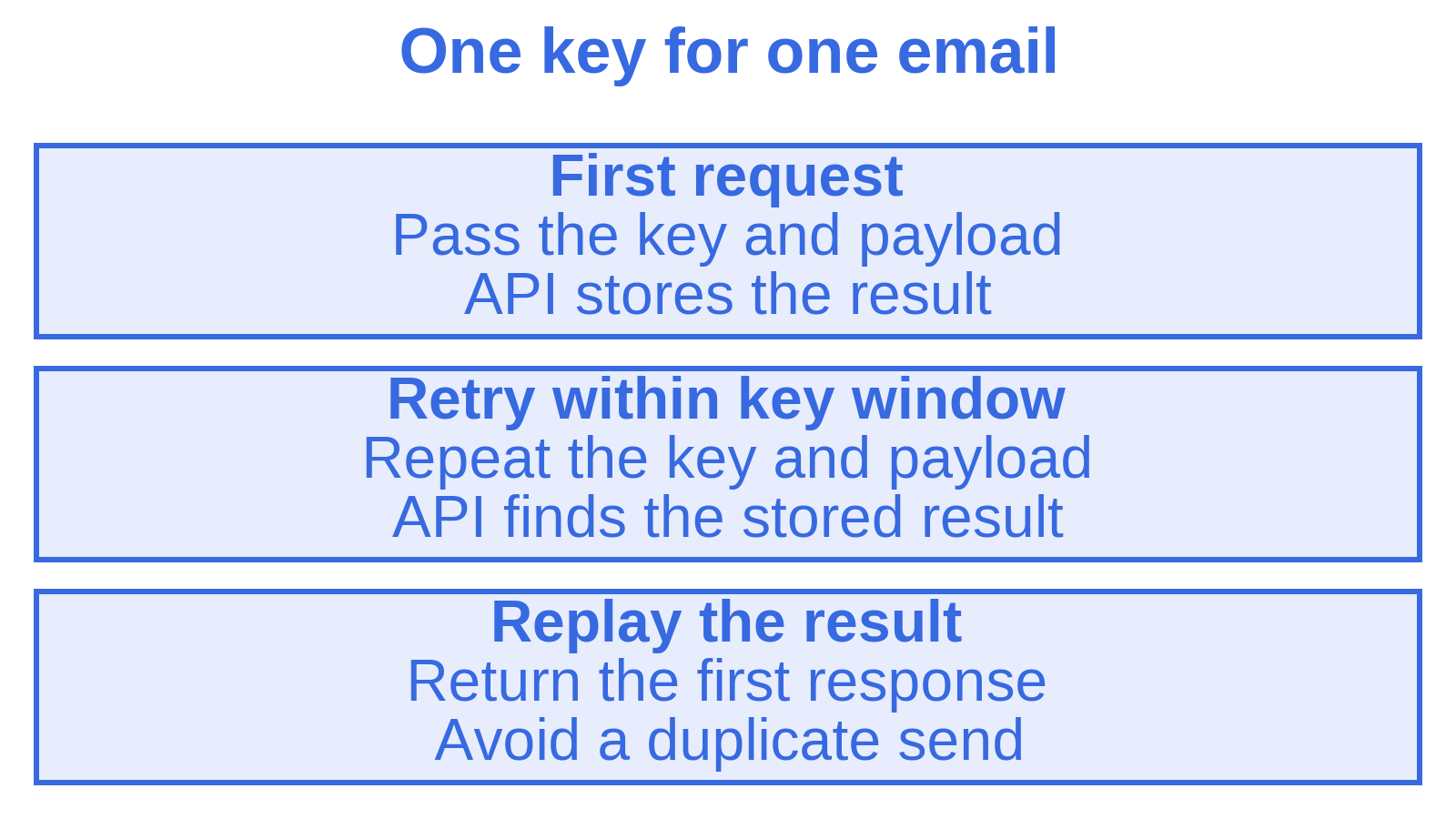
Send the key with the request when your API supports idempotency. The usual place is the Idempotency-Key header. A server can store the result with the key and return that result on a retry. The IETF's Idempotency-Key header draft specifies that the client sends an opaque value in a single request header.
Your worker can miss the response even after the provider accepts the email. That uncertainty is why AWS recommends idempotency before retrying calls with side effects.
2. How to choose the key
Decide which event counts as one email in your app.
Create the key once. Save it before you send, and let each attempt load the saved value. Generate it inside the retry loop and the provider sees each attempt as a new send.
After a restart, a worker can rebuild a shipping email key such as order-48213-shipping-confirmation from the order. You can also use a random UUID. Save it with the job before the first send.
Scope it to the right boundary. Decide what "the same email" means for your product:
| Scenario | Good key | Why |
|---|---|---|
| Order confirmation | order-{id}-confirmation | One per order, however many times the job reruns |
| Agent reply to a thread | reply-{thread_id}-{inbound_message_id} | One reply per inbound message |
| Password reset | reset-{user_id}-{token_id} | A new token is a new intent |
| Weekly digest | digest-{user_id}-{iso_week} | One per user per week |
| Per-recipient outreach step | seq-{campaign}-{step}-{recipient} | Same step to the same person never doubles |
If your agent sends one reply per inbound message, build the key from that message's ID. The ID stays the same even if the model rewrites the reply.
Check your provider's length limit. Stripe's v1 API accepts keys up to 255 characters. When you're reading a log, a short key with the event ID is easier to recognise.
3. What happens when the same request is sent again
Before writing the retry path, check how your provider handles each case.
- The key and payload match. The server can replay the first response if the request completed and it still has the result.
- The key matches and the payload differs. Stripe returns an error when the new parameters differ from the original, which catches cases where two separate emails share a key.
- The key is new or has expired. The server can process this as a new send.
Change the subject after a timeout and a provider that compares payloads can reject the retry. Save the request payload before the first attempt. The worker can then replay it exactly.
Save the model's draft when the agent decides to send it. Even after a restart, the retry worker should load that saved draft directly.
4. How long keys last
Key retention varies by provider. Stripe can prune keys that are at least 24 hours old, then treat a request that reuses a pruned key as new. If you depend on several providers, base your retry policy on the shortest window they document.
A job can spend two days in the queue and outlast the provider's key. Stop automatic retries before expiry. If the key has expired, consult the ledger before sending again, as you would for a timed-out batch in section 6.
5. Retrying safely when the outcome is unknown
Your worker times out. The ledger still reads pending. The provider may have accepted the email, or the request may never have reached it, so the recovery path needs to account for both outcomes.
If the API supports idempotency and the retention window is still open, retry with the saved key and payload. The provider gets the same request to look up.
AWS also notes that retries add load during an outage, so backoff with jitter is the recommended companion to idempotency. A sensible sequence:
- Build the key and message once. Persist them with the status
pending.
- Send the request and wait for confirmation. Once the provider confirms acceptance, record its message ID and mark the send
accepted.
- Use exponential backoff with random jitter after a timeout or a retryable 5xx. Keep the key and payload when you retry.
- Record the failure and stop if a 4xx signals a permanent problem, such as an invalid address or a payload mismatch.
- Mark the send
uncertainwhen you reach the retry limit or the key is about to expire. Look for a record of the first attempt.
Plan backoff with our email retry strategy guide. Our email rate limiting guide shows how to queue retries. Start with how to send email via API if you're still wiring up the initial request.
6. Where a key stops protecting you
Trace every route through your code that can trigger a send. Two of them can give the same email different keys before any retry runs.
Two requests for the same email
A cron job and a webhook handler can both try to send the same reminder. Have them call the same function to build the key from the reminder event. Both get the same value.
Concurrent requests
Claim the key before the API call. When two workers pick up the same send, have each try to claim it in the database. A unique constraint lets one worker through. Check what your provider does with a second request while the first is in flight.
Batches
A batch with 500 messages contains 500 separate send intents. If it times out, check what the provider accepted before you retry a message. Record each intent individually. Find out whether your provider applies a key to the whole batch or to each message before choosing how to recover.
Inbound events delivered twice
Your agent replies. The same inbound webhook arrives again after a timeout. Have the worker claim the inbound message ID in the ledger before replying, then derive the outgoing key from that ID. The agent row in the table shows how to key the reply.
After acceptance
Provider acceptance comes before delivery. The email can still bounce, be deferred or land in spam. Handle bounces through webhooks and suppressions so your app skips a hard-bounced address on later sends.
7. A ledger beats trust
Even with provider-side keys, we recommend your own record of intent. A small table does the job:
| Column | Purpose |
|---|---|
idempotency_key (unique) | Prevents two workers claiming one send |
payload_hash | Detects accidental edits between attempts |
status | pending, accepted, failed, uncertain |
provider_message_id | Links to delivery logs |
created_at | Tells you whether the provider's key window is still open |
A send times out. Your worker considers a backup provider with its own key store. Before switching, check the original provider's records and your ledger. If you send through the backup, record that attempt against the original entry so you can trace both calls if a customer reports two copies. See our guide to SMTP failover and backup relays for the routing setup.
8. Testing the key lifecycle
Test the failures, not the happy path:
- Let the test provider accept the send, then drop its response. Retry with the saved key and payload. Confirm the provider accepted it once.
- Edit the subject and retry with the original key. Check that an API that compares payloads rejects the retry.
- Send two identical requests to an idempotent test endpoint at the same time. Inspect the second response and confirm the provider accepted the send once.
- Restart the worker before it retries. Verify that it loads the original key and payload.
- Send the inbound webhook twice. Look for one agent reply in the thread.
Simulate a retry with an expired provider key. Verify that the worker flags the send for review before it makes another API call.
Our view: the mailbox is part of the idempotency story
Most advice on idempotency treats sending as a one-way call. For an agent it never is. An agent sends, then waits for a reply, then answers that reply, and every step is a chance to act twice.
Qubrics gives agents persistent mailboxes. Each agent mailbox keeps its messages, threads and folders as state, and the Mailbox API lets an agent filter on sender, recipient, subject, date range and more. If an agent is unsure whether it already answered, it can look up the thread and read its messages.
Our advice is to keep two layers: your own key and ledger for intent, and the mailbox as the record of what actually left. When the first says "uncertain", the second can answer. A send-only provider cannot give you that second layer, which is why agent builders end up stitching a sender, a parser and a relay together.
Read delivery logs through the Management API. The Mailbox API shows mailbox quotas and usage, and the Sending API sends through your configured providers.
9. Putting it into practice with Qubrics
To set up a dedicated email address, you can use the Qubrics Management API to provision a mailbox for each agent, customer or tenant and read delivery logs. The Mailbox API can send from that address and read incoming messages and threads. The Sending API sends through your own connected providers.
The Sending API is the entry point for provider-routed outbound mail. The pricing page lists a Free plan at 0 USD per month per team and a Pro plan at 7 USD per month per team. On these plans, connected outbound costs 0.000500 USD per provider-accepted recipient occurrence. Mailbox storage costs 0.02 USD per decimal GB-month.
If the provider accepts both attempts for the same recipient on a usage-billed plan, each accepted recipient occurrence is billed. The recipient may also get two copies.
Sources
Recommended
Frequently Asked Questions
Is an idempotency key the same as a message ID?
Set the idempotency key before sending. That lets every retry refer to the same intended email. The provider's message ID identifies the message it accepted, so save that ID for looking up the send later.
Should I use a random UUID or a meaningful key?
A worker can rebuild a meaningful key for a shipping confirmation after a crash using the order ID and email type. A random UUID works too. Save that UUID with the job before the first attempt.
What if the provider I use has no idempotency support?
Claim the intended send in the ledger before calling the provider. If an agent reply times out, read the original thread in Qubrics through the Mailbox API and check the delivery logs through the Management API. If acceptance is still unclear, leave the send marked uncertain for review.
How long should I keep my own keys?
Keep each key until the provider's retention window ends and the longest retry or queue delay has passed. Stripe can prune keys once they're at least 24 hours old. If a delayed job could still run after that, keep the ledger entry so the worker can check the original attempt.
Does an idempotency key stop a recipient getting two similar emails?
It can, as long as both requests carry the same key and payload and arrive within the provider's retention window. When two jobs pick up the same business event, derive one key from that event. Have both workers try to claim the same ledger entry. The worker that gets it can send.
