Email Sync API: How Mailbox Sync Tokens Work

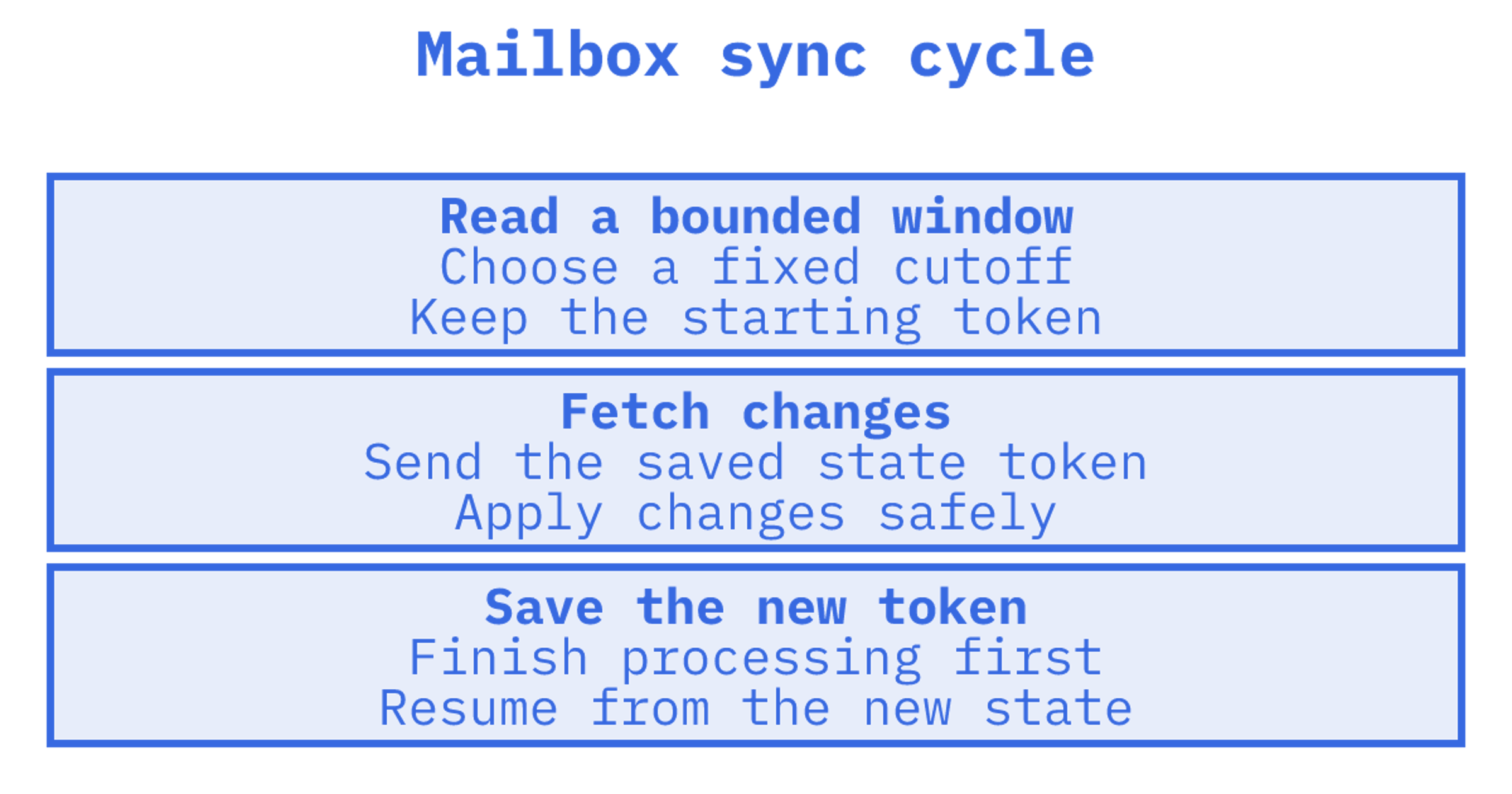
A worker can miss a customer's reply if it saves the cursor from your email sync API and then crashes before processing the change. Connected inboxes track changes differently, with Gmail history IDs or Graph delta queries. The Qubrics Mailbox API gives each dedicated mailbox state tokens for tracking changes. We'll cover when to save mailbox sync tokens and how to recover and replay updates after a provider rejects one.
TL;DR
- Email sync keeps the messages, threads and their status in your app up to date. After the first read, fetch changes through IMAP or a provider API (PineLead).
- Save the sync token the mailbox returns. It marks a point in the mailbox's history, so you can send it back to ask what changed after that.
- Decide how to handle a cursor that's expired, a change you've already applied and a provider that asks you to wait.
- Connected Gmail and Outlook accounts have different cursor schemes and use OAuth grants that can lapse. For a dedicated Qubrics mailbox, use the same sync endpoints for each mailbox and authenticate with a mailbox-scoped key.
- Qubrics (formerly Qubrics) exposes Mailbox API state tokens for mailbox, folder and query changes.
Table of Contents
What an email sync API actually does
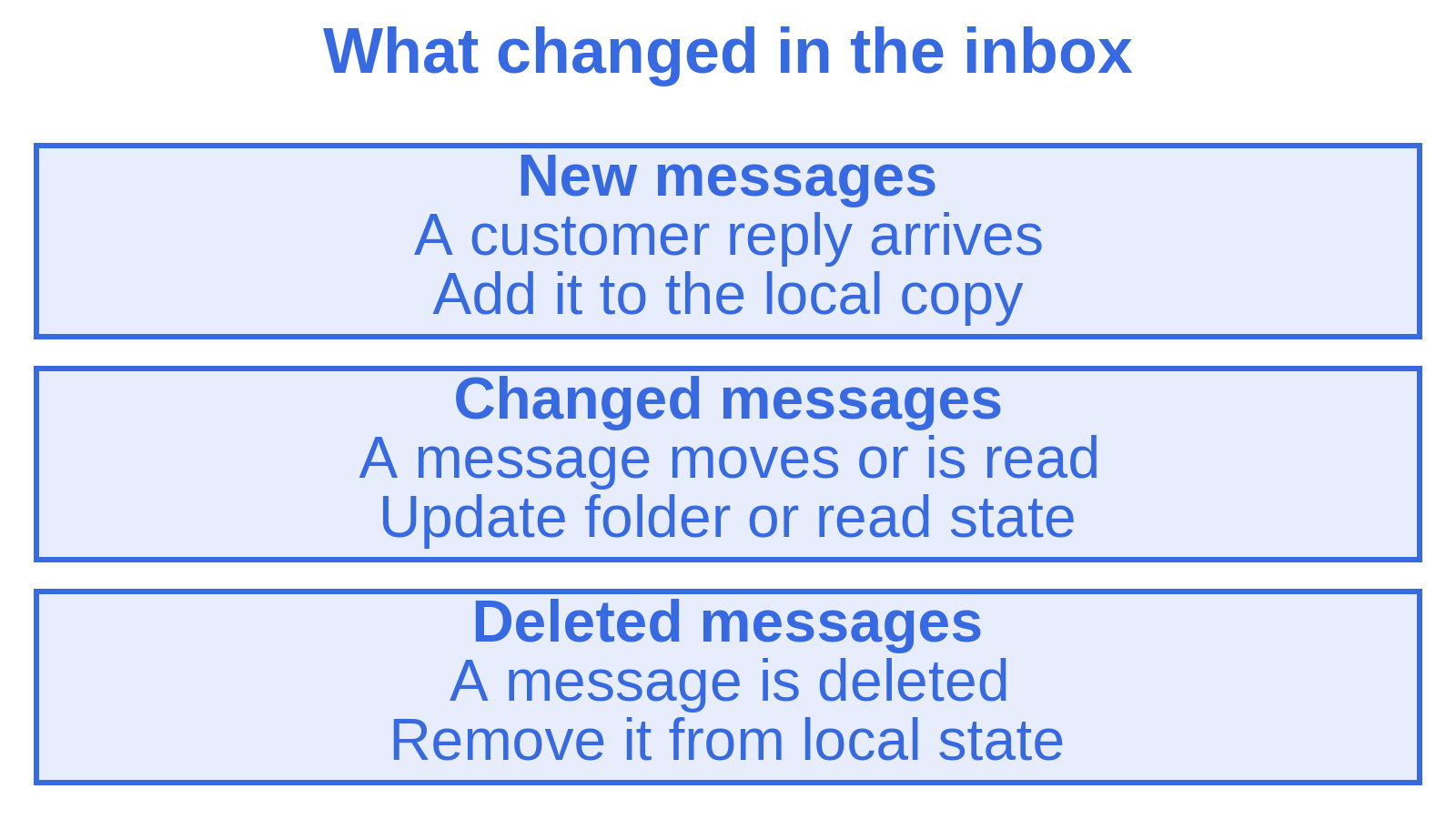
Messages arrive, get marked as read, move folders, gain keywords and get deleted. An email sync API lets your app keep up with those changes as they happen.
IMAP is the mail protocol defined in RFC 9051, and your client handles much of the state tracking. The Gmail API and Microsoft Graph offer incremental sync (PineLead). For Gmail, save a history ID. For Graph, use delta queries. Start with a read and keep the state you'll need to fetch later changes.
When a customer replies in a support thread, fetch the new reply first. The agent can pull the older messages if it needs more context.
Mailbox sync tokens, explained
Treat the sync token as opaque. It's a state token or cursor for the server's view of the mailbox or query at that point. Store the value exactly as issued and return it when you ask for changes.
The provider versions of the idea show what to expect:
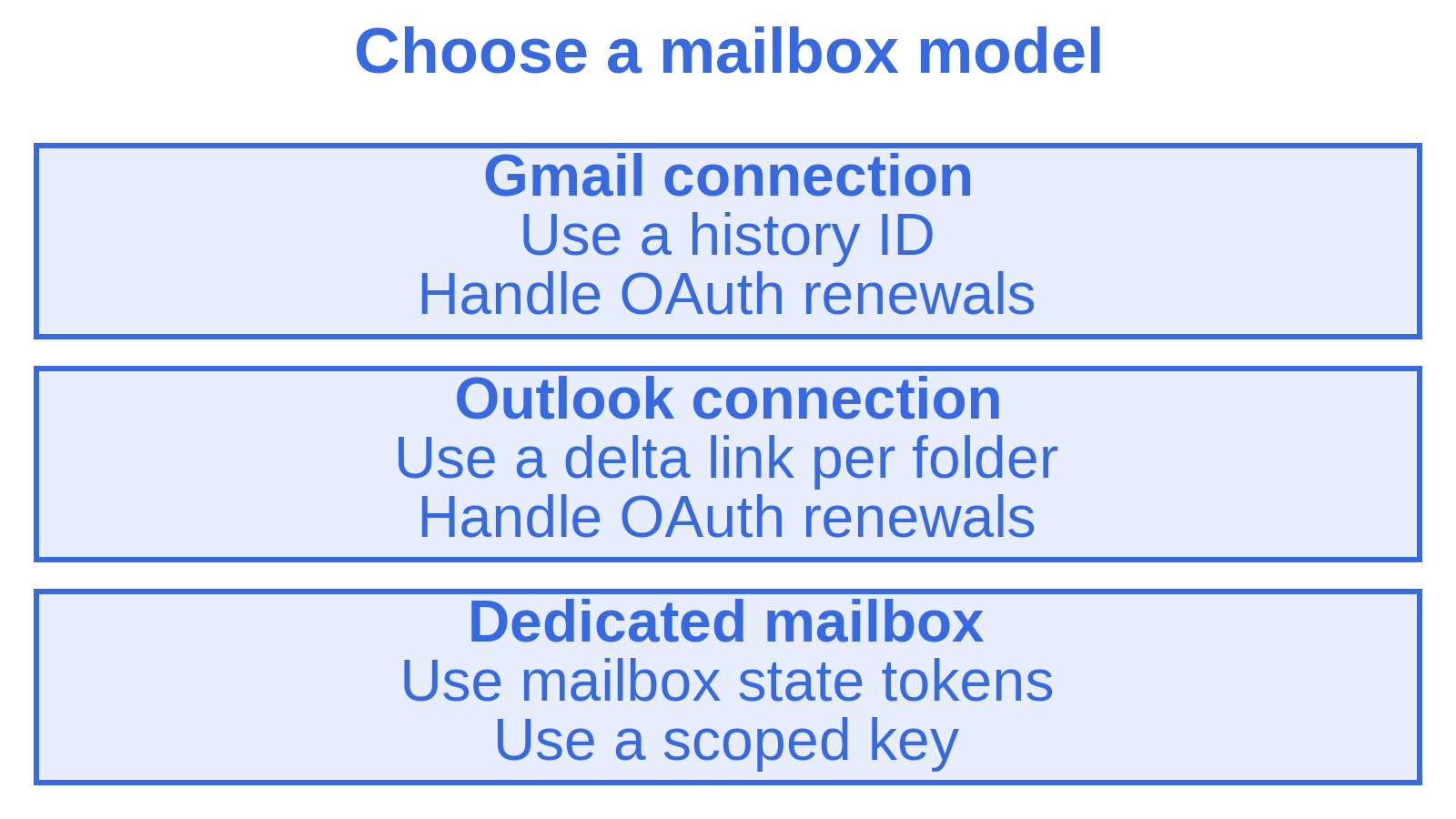
| Provider | Cursor | Scope | Expired cursor |
|---|---|---|---|
| Gmail | historyId via users.history.list | Whole mailbox | HTTP 404, re-read the window |
| Outlook / Microsoft 365 | messages/delta query | One per folder | HTTP 410, re-read that folder |
Outlook callers should request immutable IDs so a message keeps the same identifier when it moves to another folder. See HyperLevel's mailbox sync documentation for that recommendation and the cursor behaviours.
Let the cursor's scope set the rebuild. For a folder cursor, read the affected folder again. For a mailbox-wide cursor, rebuild the window your app follows.
Initial sync, then incremental changes
The first import
Capture Gmail's historyId before listing messages by label. That lets you pick up mail that arrives during the import (HyperLevel). Another documented approach starts with the last 30 days and writes by provider message ID, so a repeated write updates the same record (BetterSupabase).
Take the starting cursor before you read the mailbox if the provider supports that order. Make writes safe to repeat. A change can then appear during the import and in the first batch of changes without causing trouble.
Reading only what changed
On the next run, send back the token you saved to ask for changes. The Qubrics Mailbox API uses state tokens for typed mailbox and folder changes and for changes to a message query. Use the query's saved state with the same filters and sort order to follow a slice of the mailbox, such as unread customer mail.
Read only what the sync job needs. Qubrics's message listing filters on folder, thread, free text, sender, recipient, subject, headers, size, keywords, date range, attachments and unread status. A count endpoint answers "how many" without returning rows, and search-snippets return previews without pulling bodies. Batch get, update and delete handle many messages in one call. Use GET /mailbox/me to identify the mailbox. GET /mailbox/session reports supported capabilities, state tokens and request limits.
When tokens expire or events repeat
Test how the loop handles the cases that interrupt a run. It might have to start over, wait, ask the user to reconnect or deal with a change it's already applied.
- Gmail returns 404 for an expired cursor and Graph returns 410. Re-read the window or folder that cursor covered, then resume with fresh state.
- If a change replays, use the provider's message ID to update the existing record. Message-ID can link copies across mailboxes while you keep the state of each copy separate (HyperLevel).
- Back off when a provider rate-limits the worker. One documented schedule starts at 3 minutes, doubles up to an hour and follows Retry-After (HyperLevel). Another keeps a rate-limited mailbox active until the next run and flags a hard failure (BetterSupabase).
- An expired or revoked grant stops sync until the user reconnects the account (HyperLevel). Identify the account in the notice and give the user a way to reconnect it.
With a dedicated Qubrics mailbox and a mailbox-scoped key, sync depends on that key. If it is revoked, replace the key before resuming sync.
Webhooks or polling
A scheduled job can send the last saved sync token with each poll. That picks up changes since the point it saved.
A support agent that needs to read replies as they arrive can use push. Qubrics can notify your HTTPS endpoint when a mailbox receives mail. The Mailbox API also offers a live event stream. Schedule a sync as well so the agent can catch up after a missed notification. Make the handler safe to repeat when both paths pick up the same change.
Connected accounts or dedicated agent mailboxes
For a connected account, ask the user to sign in to Gmail or Outlook with OAuth. The example in BetterSupabase's documentation stores a credential reference for each organisation, runs sync on a schedule and flags accounts that need to reconnect. Plan for consent, token refresh and provider-specific cursor handling.
Create a persistent Qubrics mailbox for an agent, customer, workspace or tenant on @myagent.mx or a custom domain verified for sending and receiving. The Mailbox API clean-content endpoint strips quoted history by default so agents can focus on the new reply. The raw body endpoint returns text, HTML or both without cleaning.
Qubrics supports outbound through connected Gmail and Outlook accounts or custom SMTP. Connected providers on Pro and Enterprise follow the provider's limits and any configured quotas. A delivery group scopes a key or mailbox to eligible providers in that group. Provider weights can be configured. Managed Amazon SES is a separate sending option. Use the Mailbox API for sync and the Sending API for provider-routed sending. Delivery logs and billing are scoped to the team. When you need to keep tenants separate, see per-tenant email identity and the multi-tenant platform.
If you're bringing over a mailbox, follow the IMAP migration guide for the import.
A worked sync loop for an agent
Here is the shape of a loop for a support agent, independent of language:
- Call the session endpoint to read supported features, current state tokens and request limits.
- List unread messages in the inbox folder with the start of the last 30 days as a fixed cutoff. Save
meta.sync_stateif the listing returns it.
- Read the cleaned text of each message and decide if it needs an answer. Send a test reply to verify that it reaches the original thread.
- On the next cycle, or when a webhook arrives, fetch changes with the saved token. For a message query, use
since_query_statewith the same filters and sort order. For resource changes, use the corresponding resource state token. Process the changes returned.
- Save the new token once processing succeeds. Key message records by mailbox and provider message ID so a replay updates those rows without creating duplicates.
- If you have to restart sync, list just the affected window again. Save a fresh token if the listing provides one, once the rebuild is complete.
Test step 5 by stopping the worker between writing a message and saving the cursor. Restart it and check that the message appears once and later changes still go through.
What it costs
See the pricing page for plan and usage details. Free has a US$0 monthly team fee and draws usage charges from its included credit. Pro costs US$7 per team each month plus usage. Enterprise pricing follows the team's contract. Connected outbound costs US$0.000500 per provider-accepted recipient occurrence, and managed sending costs US$0.000750 per provider-accepted recipient occurrence. Inbound costs US$0.000500 per distinct mailbox delivery. Storage costs US$0.02 per decimal GB per month, prorated by calendar day. Free and Pro pricing is based on the team and its usage.
Where Qubrics fits
For an agent that reads and sends mail, start with inbound mailboxes for sync and the sending API for outbound. A supported MCP client can use the MCP server to access the mailbox you grant it. Test the sync loop on Free within the included credit and plan limits.
Our view
We built Qubrics because most agent teams were running a sending provider, a Gmail OAuth workaround, a parser and a webhook relay, each with its own cursor, its own failure mode and its own invoice. Sync is where that sprawl hurts most, because every extra moving part is another place a token can go stale.
Give the agent a persistent address and mailbox it can query. The Mailbox API provides state tokens for mailbox, folder and query changes, and offers cleaned content and filtered payloads to keep the context small. Use the Sending API for provider-routed outbound.
The longer-term direction is a context layer that turns a company's mail into accurate, permissioned context agents can act on. Reliable sync is the foundation for that.
Sources
Recommended
Frequently Asked Questions
What is the difference between an email sync API and an email sending API?
When a customer replies to your support agent, the sync API lets it see the reply and other mailbox changes, including deletions. The sending API delivers the agent's answer.
What is a mailbox sync token?
Keep the sync token the server gives you. It marks a point in the mailbox's history, so the next request can ask for changes since then. Gmail calls its marker a history ID, and Outlook uses a delta link ([HyperLevel](https://docs.gohyperlevel.com/mailbox-sync/)). In our Mailbox API, you can track unread customer mail with a query. Send back that query's saved state with the same filters and sort order.
Should I poll or use webhooks?
Use a webhook if the agent needs to act as soon as mail arrives. Poll with the saved token too, so it can catch up after a missed notification. If the job runs on a schedule, polling is usually enough. When both paths run, make the work safe to repeat so a message gets one reply.
What happens when a sync token expires?
Start by reading the affected window or folder again. Apply the updates before saving a fresh token. Gmail returns 404 for an expired history cursor, and Graph returns 410 for an expired delta cursor ([HyperLevel](https://docs.gohyperlevel.com/mailbox-sync/)). Key records by mailbox and provider message ID so the re-read updates existing rows.
Do I need a connected Gmail account for each tenant?
A tenant can use a dedicated Qubrics mailbox independently of Gmail. Create their address on @myagent.mx or on a custom domain verified for sending and receiving. Use the same sync endpoints in our Mailbox API for each mailbox, with that mailbox's key to authenticate.
