Email MCP Server: Give Your AI Agent a Real Mailbox

An email MCP server is a small service that exposes mailbox actions (search, read, draft, send) as tools an AI client can call through the Model Context Protocol. The mailbox behind those tools determines what the agent can access. A borrowed Gmail login with an app password gives the agent access to a person's mailbox. Qubrics (formerly Qubrics) gives the agent its own address, message history and limits, with MCP, REST, SDK and CLI access to the mailbox.
This guide covers what an email MCP server does, which tools to switch on, how to connect one, how to secure it and when a hosted mailbox is the better foundation.
TL;DR
- An email MCP server turns mailbox actions into tools your AI client can call. The mailbox behind it decides reliability, isolation and cost.
- Start read-only. Search and read tools are low risk, while send, move and delete tools should be enabled one at a time.
- Personal Gmail and Microsoft 365 connections bring OAuth expiry, app passwords and provider rate limits into your agent. A dedicated agent mailbox avoids that stack.
- In Qubrics, you can create a mailbox for an agent, customer or tenant on the included @myagent.mx domain or on a custom domain verified for sending and receiving. The mailbox is reachable through MCP, REST, SDK and CLI.
- Free costs US$0 per month per team and comes with fixed limits. Pro costs US$7 per month per team plus usage.
Table of Contents
What an email MCP server actually is
The Model Context Protocol (MCP) is an open standard that lets an AI application discover and call external tools in a consistent way. An email MCP server is the tool provider for mail. Your client (Claude, Cursor, a LangChain or OpenAI Agents SDK app) connects to it, asks which tools exist, and then calls them: find the last message from a supplier, read a thread, send a reply.
In an email MCP integration, a language model chooses which mail tools to call. That changes the design in three ways.
- Tool descriptions are part of the interface. The model chooses tools from their names and descriptions, so a short, well-scoped tool set works better than a wrapper around every IMAP command.
- Payload size is a cost. A raw MIME thread with quoted history burns tokens and confuses the model about which part is new.
- Permissions must be granular. A model can be manipulated by text inside the mail it reads, so what it is allowed to do matters more than in a normal integration.
It also differs from agent-coordination mail systems, which give coding agents an internal message bus to hand work to each other. An email MCP server is about real email: addresses on the open internet, threads with customers, verification messages, invoices.
Which tools an agent needs, and which to leave off first
Most email MCP servers expose the same families of tools. One documented example is the GetMCP mailbox connector, which ships read-only tools enabled from the start (listing and searching emails, reading an email, listing folders) and keeps every tool that changes, sends or deletes mail disabled until the user switches each one on deliberately.
That pattern is the right default for any server you choose. Use this as your rollout order:
| Stage | Tools | Why this order |
|---|---|---|
| 1. Observe | list, search, read, count | Cannot change anything. Lets you check the agent finds the right mail. |
| 2. Organise | flag, mark read, move to folder | Reversible. Useful for triage agents. |
| 3. Draft | save draft | A human can review before anything leaves. |
| 4. Send | send, reply, forward | Enable per mailbox, with quotas in place. |
| 5. Destroy | delete, delete folder | Last, and often never needed. |
Security researchers make the same point from the other side: tool design should separate read, write, delete and execute capabilities, and a tool that reads email should not automatically be able to send email.
Tools that save tokens
A mailbox with thousands of messages is where naive tools fail. If "list emails" returns full bodies, the context window fills before the agent finds anything. The Qubrics Mailbox API has endpoints that keep payloads small.
- Message listing supports filters, sorting and cursor pagination.
- A count endpoint answers "how many" without returning rows.
- Search snippets return previews without pulling bodies.
- Batch get, update and delete move many messages in one call.
- Agents can read cleaned message content to focus on the reply. The raw body endpoint returns the message text, HTML or both without cleaning.
Those are the same retrieval patterns you want behind any MCP tool, because the agent's tools are only as precise as the mailbox queries under them.
Connecting an email MCP server to your AI client
The steps are similar across clients, whether you use a desktop assistant, an IDE agent or a framework.
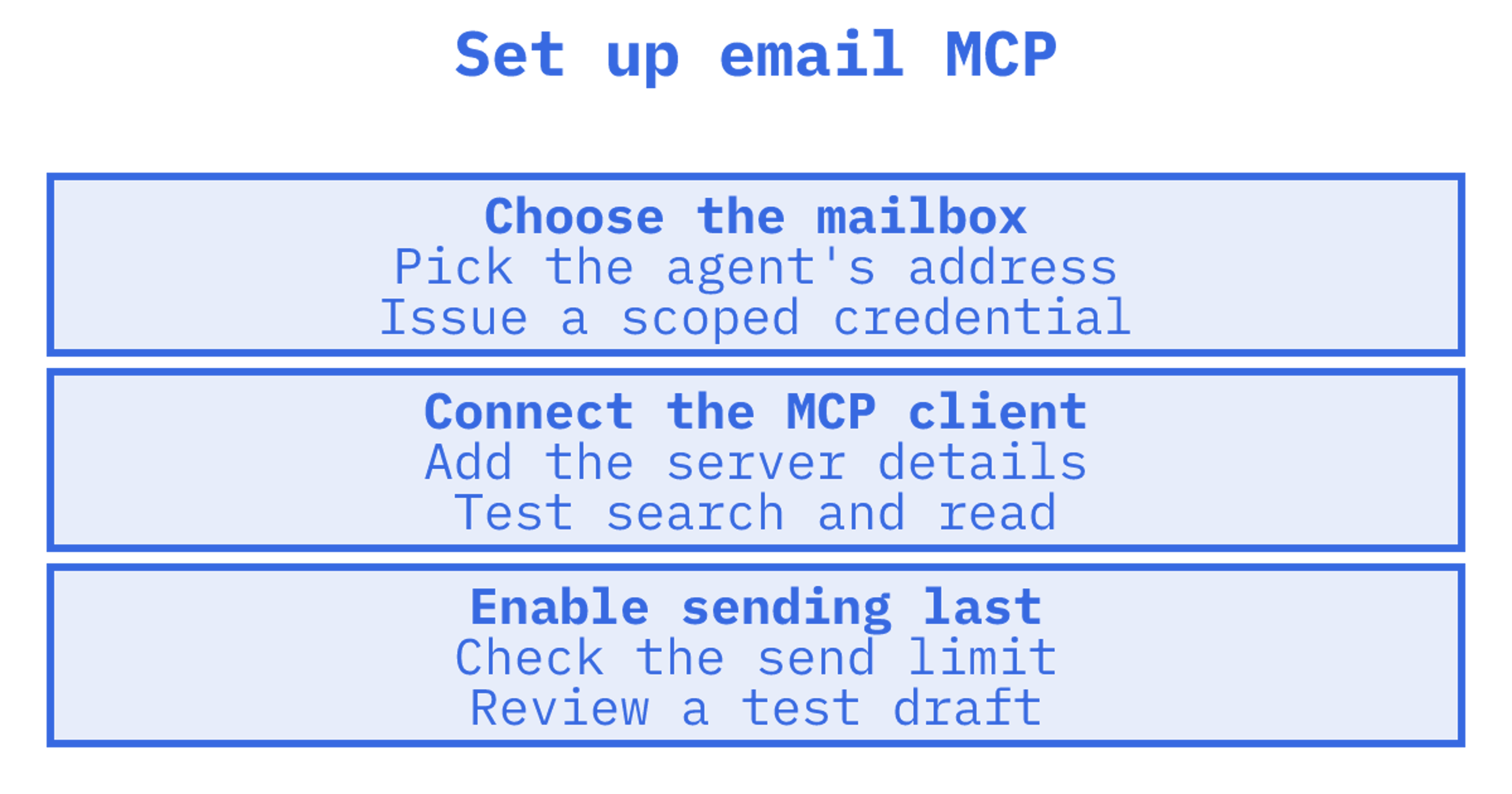
1. Decide which mailbox the agent is
This is the decision that most setups skip. There are two models:
- The agent acts as a person. You connect an existing Gmail or Microsoft 365 account. The agent sees everything that person sees.
- The agent has its own identity. It gets a mailbox created for it, with only the mail addressed to it.
The second model is easier to reason about, easier to audit and safer when the agent reads untrusted mail. With Qubrics, you can give an agent, customer, workspace or tenant its own mailbox on the included @myagent.mx domain or on a custom domain verified for sending and receiving. These mailboxes have their own addresses and credentials.
2. Create the mailbox and a scoped credential
The Qubrics Mailbox API gives you access to the mailbox's stored messages, threads and folders. It also exposes attachments, sender identities, quota limits and usage. Create the mailbox, then issue the credential the MCP connection will use. Keep it per agent so you can revoke one agent without touching the rest.
3. Add the server to your client
Most MCP clients take a server entry in a configuration file or a settings screen: a name, a transport (local process or remote URL) and the credential. See the MCP page for agent builders. Add the connection details to your client, restart it and confirm that its tool list shows the mail tools.
4. Test with read-only calls
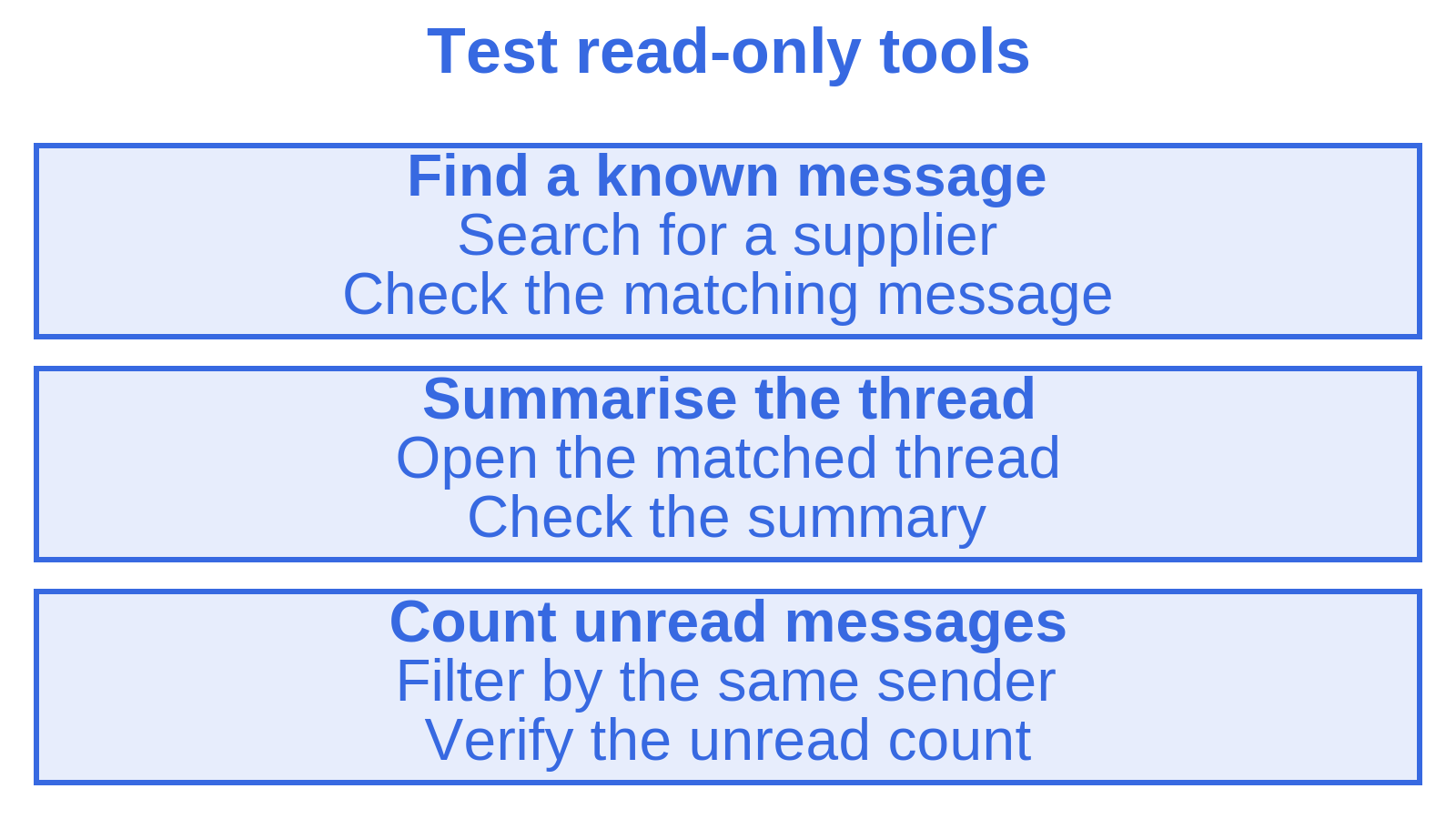
Ask the agent to find a message you know exists, summarise a thread and count unread mail from a sender. If it returns the right thread without dumping the inbox, the query tools are doing their job. Use GET /mailbox/me to confirm which mailbox the credential reaches. GET /mailbox/session reports supported capabilities, current state tokens and request limits.
5. Turn on sending last
Use the single send endpoint with a credential that has permission to send. Set a send limit before giving the agent unattended sending access. A loop can then hit the limit before it sends more mail.
Why connecting Gmail or Outlook to an agent keeps breaking
The top results for this keyword are mostly servers that wrap a personal mailbox. They work for a demo and then run into provider rules.
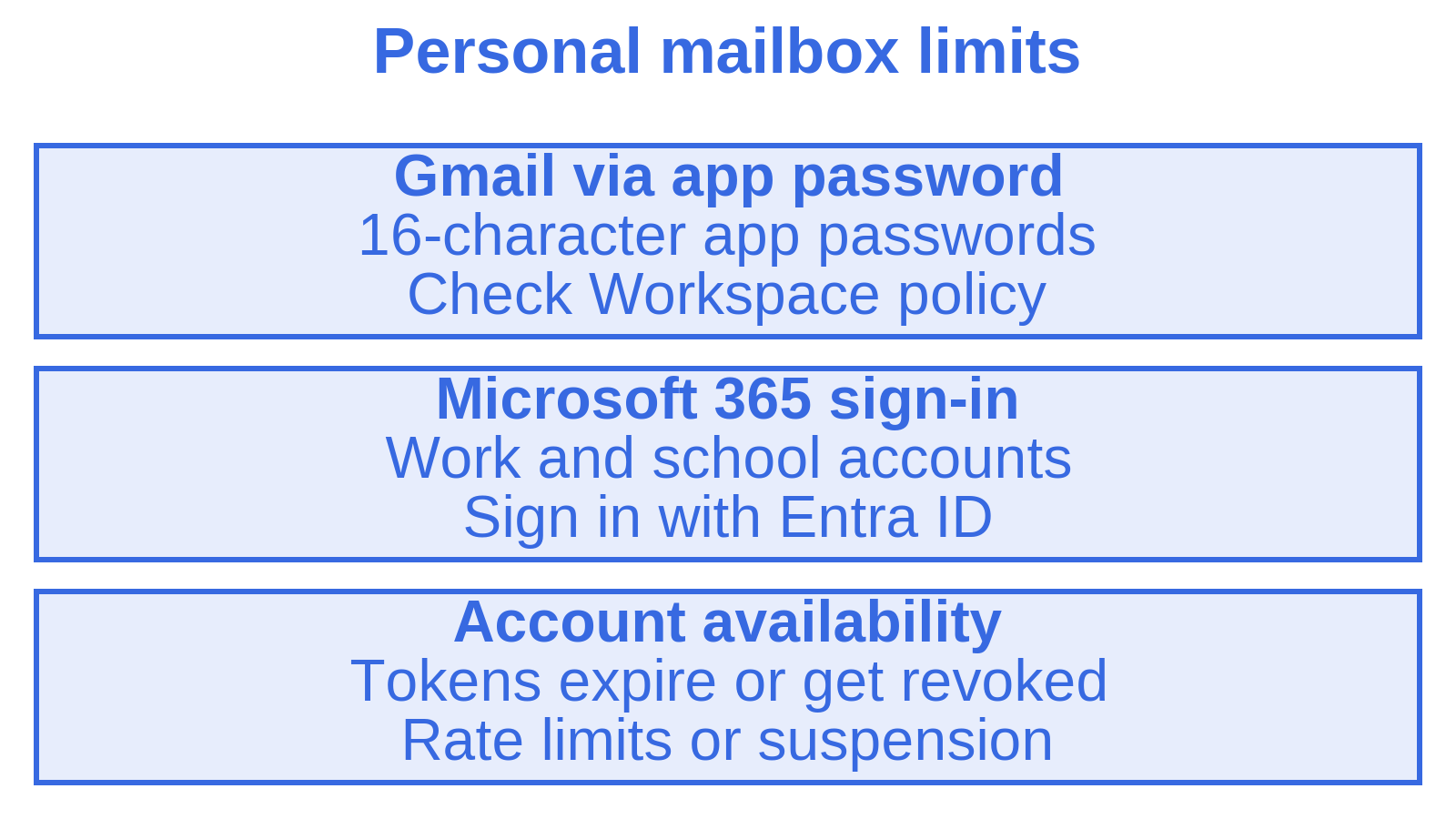
App passwords and IMAP. Several servers ask you to generate a 16-character Google app password. On Workspace accounts your administrator must allow IMAP and app passwords first, which is a human step in what should be an automated flow.
Microsoft's move to OAuth. The better-email-mcp project documents that Microsoft 365 work and school mailboxes sign in through Entra ID, that Microsoft disabled basic auth for Exchange Online, and that app passwords are not an option. It needs a tenant setting for sign-in and token refresh. For SMTP specifically, Microsoft's published timeline says SMTP AUTH Basic Authentication is disabled by default for existing tenants from the end of December 2026, with OAuth as the supported method for new tenants. If your agent sends through Outlook, our Outlook OAuth for SMTP guide covers setup, scopes and the errors you will meet.
Token expiry and suspension. OAuth tokens expire and get revoked, and a provider can rate-limit or suspend a mailbox that suddenly sends machine-generated mail. If one connected account is your agent's only route, one provider decision takes the agent offline.
Securing the human side. If you do have to connect work mailboxes, protect the sign-in itself. Guidance on corporate email security with MFA explains how multi-factor authentication fits around the mailboxes your team uses.
An agent-owned mailbox has its own address and credentials. Qubrics can send through your configured providers, including a custom SMTP account, or through managed Amazon SES.
Securing an email agent
Mail is untrusted input. Anyone can email your agent, and the agent reads what they write. The security risks of MCP are well documented: prompt injection, tool poisoning and insecure credential handling are the headline categories, and malicious instructions can hide in ordinary data such as tickets, files or messages.
A practical control set for an email agent:
- Least privilege per tool. Follow the rollout table above. An agent that triages should not be able to delete.
- One mailbox per agent or tenant. A compromised or confused agent can only see its own mail. This is the strongest isolation lever you have.
- Quotas as a safety net. Per-mailbox and per-provider send limits cap the damage from a loop or an injected instruction to send widely.
- Human approval for outbound where stakes are high. Use drafts first for contracts, payments and anything legal.
- Short-lived, scoped credentials. For remote MCP servers, the protocol's authorization specification builds on OAuth 2.1, with the MCP server acting as a resource server and the client requesting tokens. Prefer scoped tokens to long-lived shared keys.
- Logs you can read. You need to know what the agent sent, to whom and when. Delivery logs and suppressions should be queryable per mailbox or tenant.
- Sender authentication. Verify SPF, DKIM and DMARC on every sending domain so legitimate agent mail is not treated as spoofing.
In Qubrics, you can verify a custom domain, read delivery logs and scope API keys to a team or mailbox. You can also read mailbox quota limits and usage through the Mailbox API.
Hosted mailbox or your own server
Running your own MCP server over IMAP and SMTP is a reasonable weekend project. The cost shows up later, in the parts the MCP layer does not cover:
- Inbound handling: someone has to receive, thread and clean the mail.
- Provider connections: tokens, app passwords, expiry and rate limits.
- Event delivery: replacing IMAP polling loops with webhooks or an event stream.
- Per-tenant identity, keys and logs once you have more than one agent.
- Billing and quotas across all of it.
The stack that agent builders end up assembling is a sending provider, a Gmail OAuth workaround, a parser, a webhook relay and separate billing. Qubrics provides agent mailboxes, inbound processing and outbound sending through configured providers. The Mailbox API exposes state tokens so an agent can request changes to the mailbox, a folder list or a message query. Use signed webhooks for delivery and inbound events, or Server-Sent Events to stream mailbox events. For a deeper comparison of transport choices, see five checks before you move from SMTP to an email API.
Questions to ask of any email MCP service
Whichever service you pick, check these before it holds real customer mail:
- Maintenance: is there recent release activity and documented behaviour for provider changes such as Microsoft's authentication shifts?
- Isolation: can each agent or tenant have its own mailbox, key and log, or is everything one shared account?
- Identity: can you use your own domain, with SPF, DKIM and DMARC verified?
- Pricing model: is it per inbox or per connected account, or by usage? Per-inbox pricing punishes you for giving every agent its own address.
- Search: can the agent filter and count without pulling bodies?
- Failover: what happens when one provider rate-limits you?
What it costs
The Pro plan adds usage charges to the team fee. For the current schedule, see the pricing page.
| Item | Price |
|---|---|
| Free plan | US$0 per month per team |
| Pro plan | US$7 per month per team |
Connected outbound sends through your configured providers. Managed sending uses the managed Amazon SES account.
Where this fits in real agent products
A few patterns show what a persistent mailbox behind an MCP server enables:
- Support agents read a customer's new reply (quoted history already stripped), draft an answer and send it in the same thread.
- Verification and signup flows: browser-use and computer-use agents receive one-time codes at their own address rather than a human's.
- Invoice and accounts-payable agents receive supplier mail, read attachments and route it to the right queue.
- Multi-tenant SaaS gives each tenant an inbox and keeps keys, logs and quotas separate per tenant.
- Outbound agents send across several domains and providers with rotation and failover. Our sales outreach page describes that setup.
- Search across many mailboxes for monitoring agents is covered in our cross-mailbox search guide.
If your agent is an experiment, the Free plan is a sensible place to start. When you give it real customers, the isolation and quota controls above are what you will lean on. Browse the inbound mailboxes and sending API pages for the detail.
Our view
Most email MCP servers answer the question "how does a model read my inbox?" We think the better question is "whose inbox is it?"
When an agent borrows a person's Gmail, it inherits that person's tokens, limits and exposure. When it has its own mailbox, you get a clean boundary: its own address, its own threads, its own quota and its own log. That boundary is what lets you hand an agent a scoped set of tools and trust the result.
We built Qubrics to handle mailboxes, inbound processing and multi-provider sending in one place. The same persistent mailbox is available through MCP, REST, SDK and CLI.
Our longer-term direction is a context layer that turns a company's mail into accurate, permissioned context its agents can act on. Mailboxes with clear ownership are the foundation for that, and it starts with giving every agent an address of its own.
Start with one mailbox
Qubrics gives AI agents a mailbox on @myagent.mx or on a custom domain verified for sending and receiving. You can use the mailbox through MCP, REST, SDK and CLI and send through a configured provider or managed Amazon SES. The Free plan costs US$0 per month per team and comes with fixed limits. For your first mailbox, start at the Qubrics pricing and sign-up page. Connect your MCP client and turn on send tools once your read-only tests pass.
Sources
Recommended
Frequently Asked Questions
What is an email MCP server?
It is a service that exposes email actions such as search, read, draft and send as tools that an AI client can call through the Model Context Protocol. The client discovers the tools automatically and the model decides when to use them. The quality of the mailbox behind the server determines how reliable and safe it is.
Is it safe to let an AI agent send email?
It is safe when access is scoped. Start with read-only tools, enable send tools deliberately, give each agent its own mailbox and set per-mailbox quotas. Treat incoming mail as untrusted input, because instructions hidden in a message can try to steer the model.
Can I use my existing Gmail or Outlook account?
Yes, many servers connect through OAuth or app passwords. Microsoft 365 work and school mailboxes need Entra ID sign-in, since basic auth is not an option there. Qubrics can send through a configured SMTP account or through managed Amazon SES. The agent's own mailbox handles receiving.
Do I need a custom domain?
No. A Qubrics mailbox can use the included @myagent.mx domain. For a branded mailbox, use a custom domain verified for sending and receiving. Set up SPF, DKIM and DMARC on your sending domain.
Which AI clients and frameworks can use it?
An AI client that supports the server's MCP transport and authorisation can connect. Qubrics also provides REST, SDK and CLI access to the mailbox. Applications built with LangChain, CrewAI, the Vercel AI SDK or the OpenAI Agents SDK can make REST calls from their application code. See the [agent builders page](https://sendmux.ai/solutions/ai-agent-builders) for the integration details.
