Scheduling Assistant Email: How to Build an Agent That Books Meetings

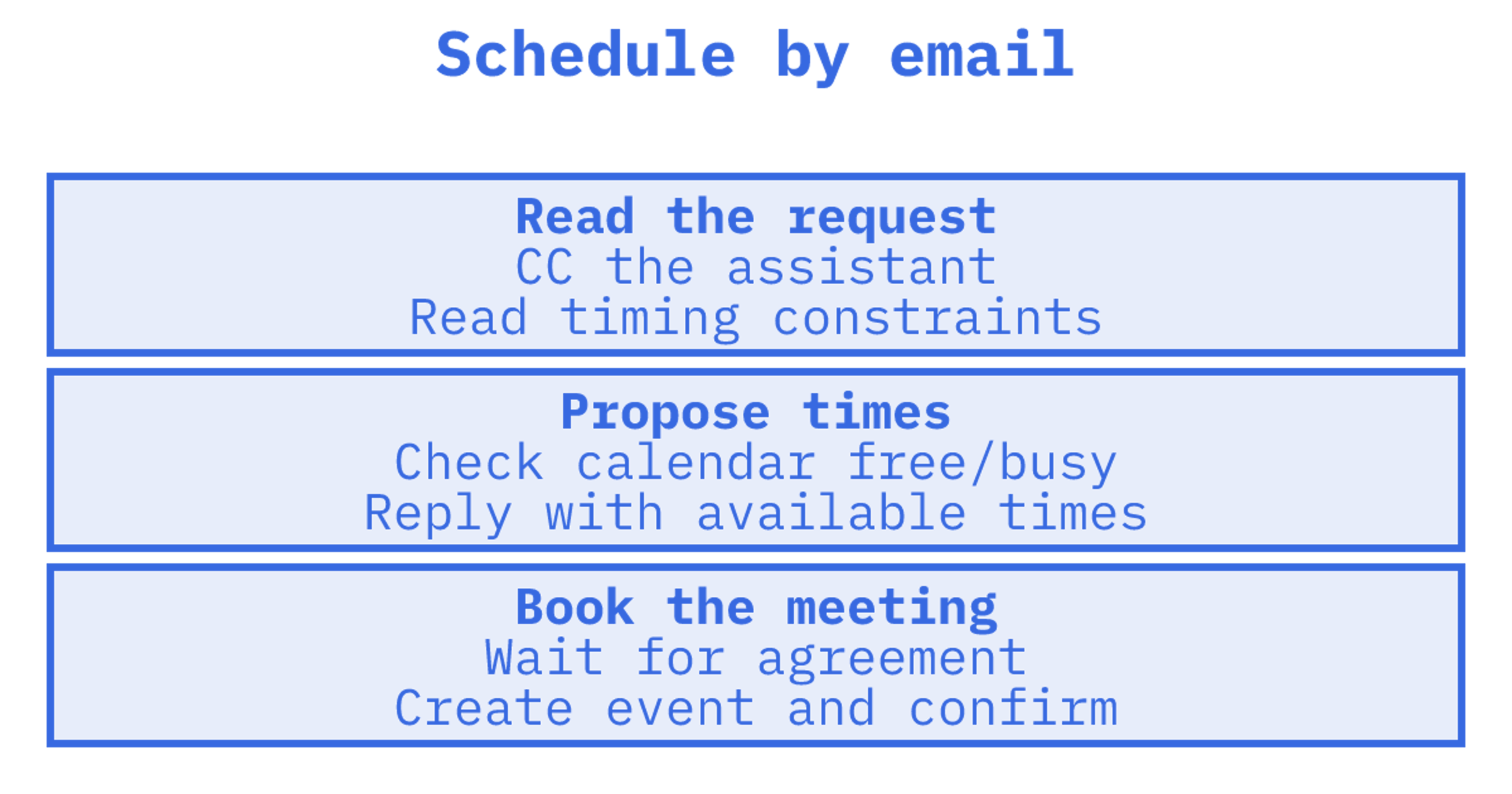
A guest replies "Thursday works" three days after the agent suggested a slot. Start with that test. The agent needs to retrieve the proposal, check that the slot is still free and confirm in the same thread once everyone has agreed. The guide covers the first CC through booking and confirmation, including what to do if a Gmail token expires mid-thread and a send fails.
Outlook also uses "Scheduling Assistant" for its free/busy grid in the meeting form, which shows attendees' availability side by side. The agent in this guide coordinates meeting times over email.
TL;DR
- A request comes in and the email scheduling assistant checks calendars and proposes times in the thread. It books once the guests agree. Calendly, Read.ai and Sarra document the same sequence.
- Let a calendar tool check availability and book events. On the email side, receive requests, keep replies in their threads and track delivery.
- Give each assistant, customer or workspace an address others can CC. If you connect a shared Gmail inbox through OAuth, account for consent and token expiry.
- Guests can write in plain language. To help their email clients keep replies together, set the
In-Reply-ToandReferencesemail headers.
- Qubrics supplies the mailbox, the Mailbox API for incoming mail and the Sending API for outbound mail. The Free plan has a base price of USD 0 per month per team.
Table of Contents
1. What an email scheduling assistant actually does
Calendly's Callie checks what slots are free, suggests times in the guest's preferred time zone and handles the back-and-forth. See how it manages calendar coordination over email. CC Read.ai's Ada and it checks the calendars it can access. It proposes times and creates the event and invite once the time is confirmed. See how Ada handles scheduling.
Sarra's assistant reads the host's connected calendar and uses the timing constraints to find slots for the participants listed in To and Cc. It replies in the same thread and books after agreement. To use CalendarBridge's assistant to book or move a meeting, CC it on the thread or email it directly.
Strip the branding away and every one of these does six things:
- Receives mail sent or copied to the assistant.
- Identifies the participants, meeting length and timing constraints.
- Checks free/busy on one or more calendars.
- Replies in the same thread with proposed times.
- Reads the guest's latest reply, even when it arrives above several quoted messages.
- Creates the event and sends confirmation.
The mailbox is involved in steps 1, 4, 5 and 6. In steps 2 and 3, the model extracts the meeting details and the calendar tool checks availability.
2. Why the mailbox is the real engineering problem
Start with an existing Gmail or Outlook account connected through OAuth. Before you go live, work out what the app will do when a token expires or a provider limits how fast the account can send. Each new customer may also need to grant access to their mailbox.
A scheduling agent needs something different from a human inbox:
- An address of its own. Participants can CC
scheduler@example.comor an address for that customer. Replies go back to the mailbox the agent reads.
- Persistent state. When someone answers "Thursday works" three days later, the agent needs to find the original thread.
- Clean text. A guest writes "Thursday works" above a chain of earlier messages. Give the model the new reply so it can see what the guest agreed to.
- Correct threading on the way out. Missing reply headers can make the confirmation appear in a new conversation. Set the headers so the guest can see which proposal you're confirming.
- Isolation. Limit each customer's assistant to that customer's mail.
On Qubrics, you can give each agent, customer, workspace or tenant a mailbox with its own address, within your team’s limits. Use the included @myagent.mx domain or a custom domain verified for sending and receiving. The mailbox stores the thread so the agent can return to it when a reply arrives.
3. Build the loop in six steps
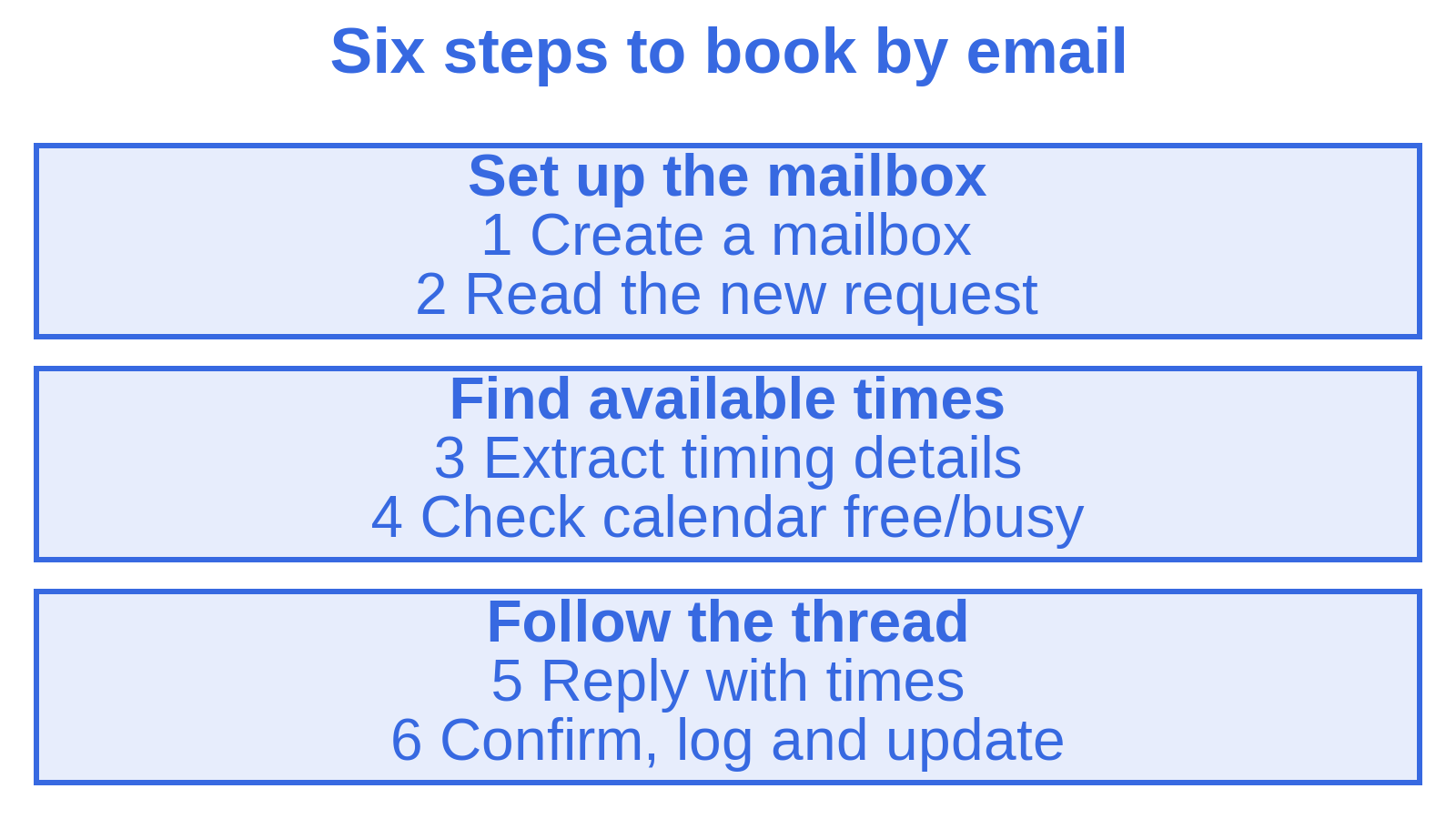
Step 1: Provision a mailbox per assistant or tenant
For a solo assistant, start with one mailbox. In a multi-tenant product, give each customer or workspace its own mailbox and check which one the app is authorised to access for that customer. Two customers may hear from the same guest. Use the destination mailbox to tell which customer each request belongs to.
Use the Qubrics Management API to create a mailbox on @myagent.mx or a custom domain verified for sending and receiving. For a custom domain, configure the required records, including SPF, DKIM and DMARC for sending and MX for inbound mail. An agent can register a shared-domain inbox without setting up its own DNS. The owner must accept the invitation and approve sending. You can use that registration flow when a customer signs up.
Step 2: Receive the request and read only the new text
Above eleven earlier messages, a guest writes "Can we find 30 minutes next week?" The Qubrics Mailbox API can strip quoted history from message text. Request cleaned HTML when you need it. Use the new reply as the input so the agent can work without parsing the raw MIME thread. Use the raw body endpoint to read the original body as stored, for example to audit what a guest wrote.
Use webhooks to receive events in your service. The sync endpoints return state tokens the agent can use to poll for typed mailbox changes, folder changes or query changes. That lets the agent catch up without re-listing the inbox through IMAP.
Step 3: Interpret the request in plain language
Sarra uses plain wording in its examples, from asking for 30 minutes next week to asking for 45 minutes in the afternoons, excluding Friday. Give the model fields for duration, date window, exclusions, time zone and participants so your calendar tool can use what it extracts.
In its first reply, have the agent repeat the timing constraints it understood. That gives guests a chance to catch a misread. Pass an IANA time zone name such as Australia/Sydney to the calendar tool so it can use the right offset for the meeting date. If a guest writes "AEST" and their zone is unclear, have the agent ask before it offers a slot.
Step 4: Check availability with a calendar tool
Give the agent tools for free/busy checks and for creating or updating events. For an example of those actions, see Synced's MCP scheduling tools. Grant write access only for calendars where the agent creates or updates events, and use availability checks for the other calendars it needs to consult. For a calendar used to check availability, see how CalendarBridge handles a secondary calendar.
Step 5: Reply in the same thread
Send a test scheduling assistant email. Check the test guest's inbox to see if it appears in the original conversation. Use the Qubrics Mailbox API to send from the authenticated mailbox. For a reply, put the parent message ID in the In-Reply-To email header and the chain of earlier message IDs in References. These headers help the guest’s email client group the conversation.
Use the message the agent is answering as the source of the IDs. Have the model draft the text. Let your app set the headers.
Qubrics can send through connected Gmail and Outlook accounts or custom SMTP. You can set quotas on your connected accounts. For failover planning, use a delivery group with a second eligible provider that has capacity. The group uses only eligible members. Managed Amazon SES is a separate sending option.
Step 6: Confirm, log and handle changes
When the guests agree, have your calendar tool create the event. Confirm in the same thread and keep listening for replies such as "Sorry, can we move it?" Because the mailbox keeps the thread, the agent can find the original booking by thread and update it rather than starting again.
Keep logs for missing invites. Use the Qubrics Management API to read delivery logs for the team. Subscribe to bounce events if your app needs to react to them.
4. Proposed times or a booking link?
If one guest just needs a slot, send a booking link. For meetings where several people need to agree or the time is likely to move, Sarra recommends coordinating over email. Fyxer's help centre recommends a draft with proposed times when you know the guest or the conversation is personal.
For an agent builder, the practical rule is this:
| Situation | Better approach |
|---|---|
| One external guest, one simple slot | Booking link |
| Several participants who must align | Times proposed in the thread |
| Known contact, personal tone | Times proposed in the thread |
| Likely reschedules and follow-ups | Times proposed in the thread, with the mailbox holding history |
When you book, save the calendar event ID against the email thread in your app. If a guest asks to move the meeting, use their reply to look up that event.
5. Write requests an assistant can read
If you ship the assistant to customers, give them a short guide. Plain wording wins:
- State the duration: "45 minutes".
- State the window: "next week, afternoons".
- State exclusions: "not Friday".
- CC the people who need to attend. The assistant identifies them using To and Cc.
- For guests in different places, include a time zone such as "Perth time".
Give the agent ten requests that are vague on purpose, such as "sometime soon" or "after the offsite". Check that it asks one clarifying question before proposing times.
6. What it costs to run
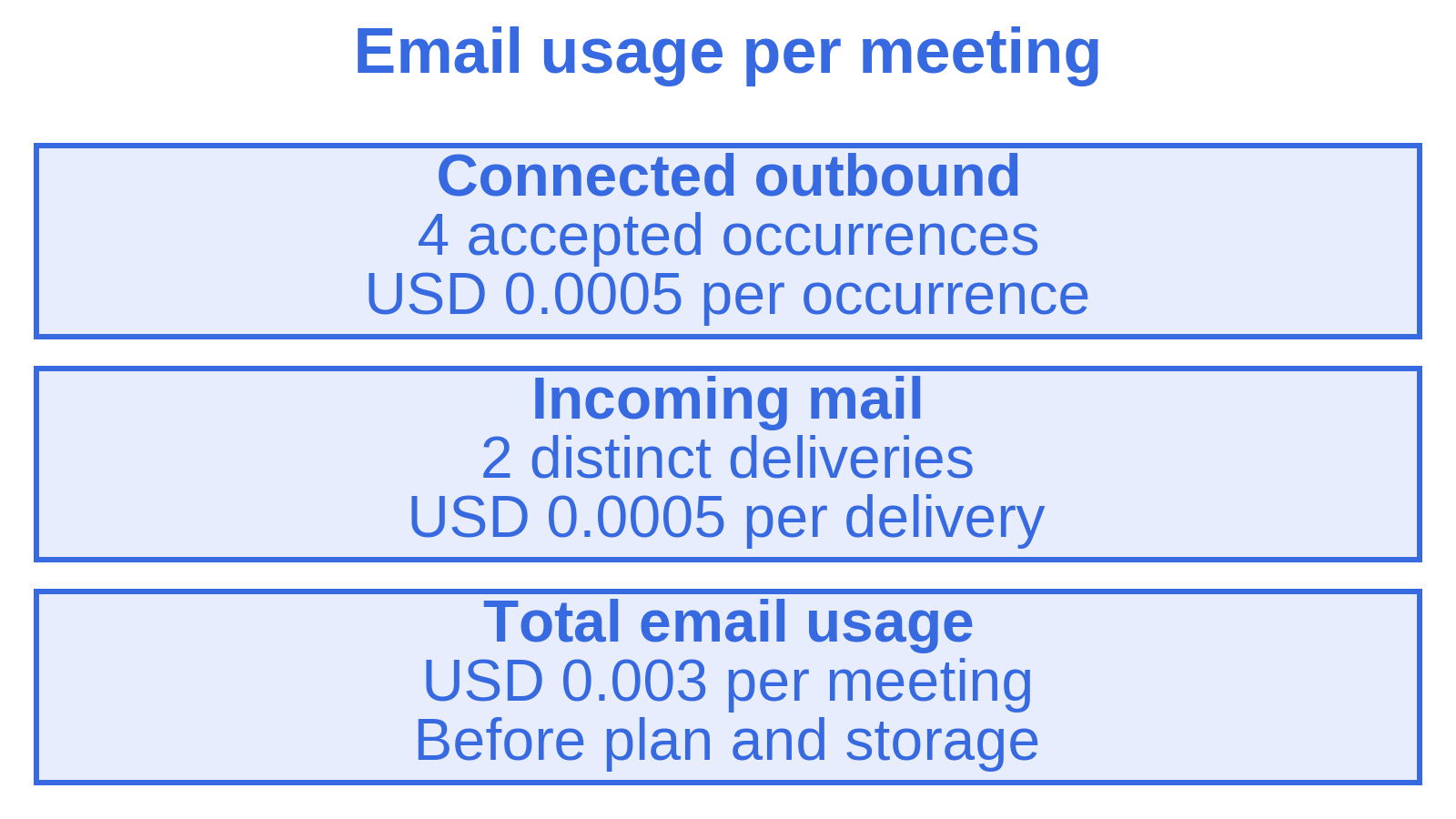
Qubrics bills by team plan and usage. Free has a base price of USD 0 per month per team, with usage drawn from the team’s starting credit. Pro costs USD 7 per month per team, plus usage. Enterprise pricing follows the contract. Connected outbound costs USD 0.000500 per provider-accepted recipient occurrence, and managed sending costs USD 0.000750 per provider-accepted recipient occurrence. Inbound mail costs USD 0.000500 per distinct mailbox delivery. Storage costs USD 0.02 per decimal GB-month. Find current rates on the pricing page.
Suppose the assistant exchanges 4 messages per meeting. On each of its two sends, the connected provider accepts 2 recipients. With 2 distinct inbound deliveries, that’s 4 provider-accepted recipient occurrences and 2 mailbox deliveries. The usage comes to 4 × USD 0.0005 plus 2 × USD 0.0005, or USD 0.003 per meeting. At a thousand meetings, the total is USD 3 before plan fees and storage. Budget with your own recipient and inbound delivery counts at the current rates.
On Free and Pro, the base fee is per team. A mailbox uses capacity under your plan, and email and storage usage are billed at the per-event rates above.
Where Qubrics fits
For a scheduling agent in LangChain, CrewAI, the Vercel AI SDK or an MCP client, use the Qubrics Mailbox API to read messages and the Sending API for authorised sends. The mailbox event stream can notify your integration when a message arrives. The CLI can read mail and send after approval for an agent registration. For a walkthrough that connects the mailbox to the calendar tool, see the scheduling agent setup. The receiving steps are in how inbound mailboxes work. When you are ready, you can start on the Free plan from the pricing page.
Our view
Most scheduling agents we talk to start with a calendar API and discover the email layer a month later. The calendar call takes an afternoon. The thread that splits in the guest's inbox, the reply that arrives with a page of quoted history, the Gmail token that quietly expires on a Sunday: those take the rest of the quarter.
Our position is that an agent should have its own mailbox, with its own address, the same way a human colleague has. On Qubrics you can give each agent, customer or tenant a real mailbox within your team’s limits. Request clean reply text with quoted history stripped through the Mailbox API. The agent reads what was just said and answers in the right thread.
We also think you should not have to assemble a sending provider, an OAuth workaround, a parser and a webhook relay to get there. Use the Mailbox API for received messages and threads, the Sending API to send through configured providers and the Management API to read delivery logs. Your calendar tool handles the scheduling logic.
Sources
Recommended
Frequently Asked Questions
How do I make an AI scheduling assistant work over email?
Give the agent its own Qubrics mailbox. Guests can email it directly or CC it on a thread, then the agent can read the request through the Mailbox API, check availability with a calendar tool and propose times in that thread. Test a messy reply. Use a message that says "Thursday works" above a quote about Tuesday, then request cleaned reply text from the Mailbox API so the agent can work from the new answer. After everyone agrees, create the event with the calendar tool. Send the confirmation from the mailbox with `In-Reply-To` and `References` to help keep it in the same thread.
Where is the Scheduling Assistant in new Outlook?
Look for [Scheduler](https://blog.virtosoftware.com/outlook-scheduling-assistant/) in the meeting form. In new Outlook, Outlook on the web and Teams, it shows free/busy availability. An email scheduling agent works through replies in the conversation.
How do I write an email an AI scheduling assistant can understand?
Try "Could we find 45 minutes one afternoon next week, Monday to Thursday?" CC the other guests. Add a time zone when they're in different places. For more plain English examples, see [Sarra's guide to email scheduling](https://sarra.ai/help/email-scheduling).
Should the assistant suggest times or send a booking link?
Give a booking link to a guest who just needs a slot. If several guests need to agree, you know the person or the meeting is likely to move, propose times in the thread. Everyone can refer back to the options and the time they agreed to.
Can one setup serve many customers?
Yes. Within your team's limits, give each customer or workspace a Qubrics mailbox of its own. Choose @myagent.mx or a custom domain verified for sending and receiving. Map each customer to their mailbox in your app so the agent reads the right messages through the Mailbox API. Use the Management API to check delivery logs for your team.
