Scoped API Keys for Email: Limit What Each Agent Can Do

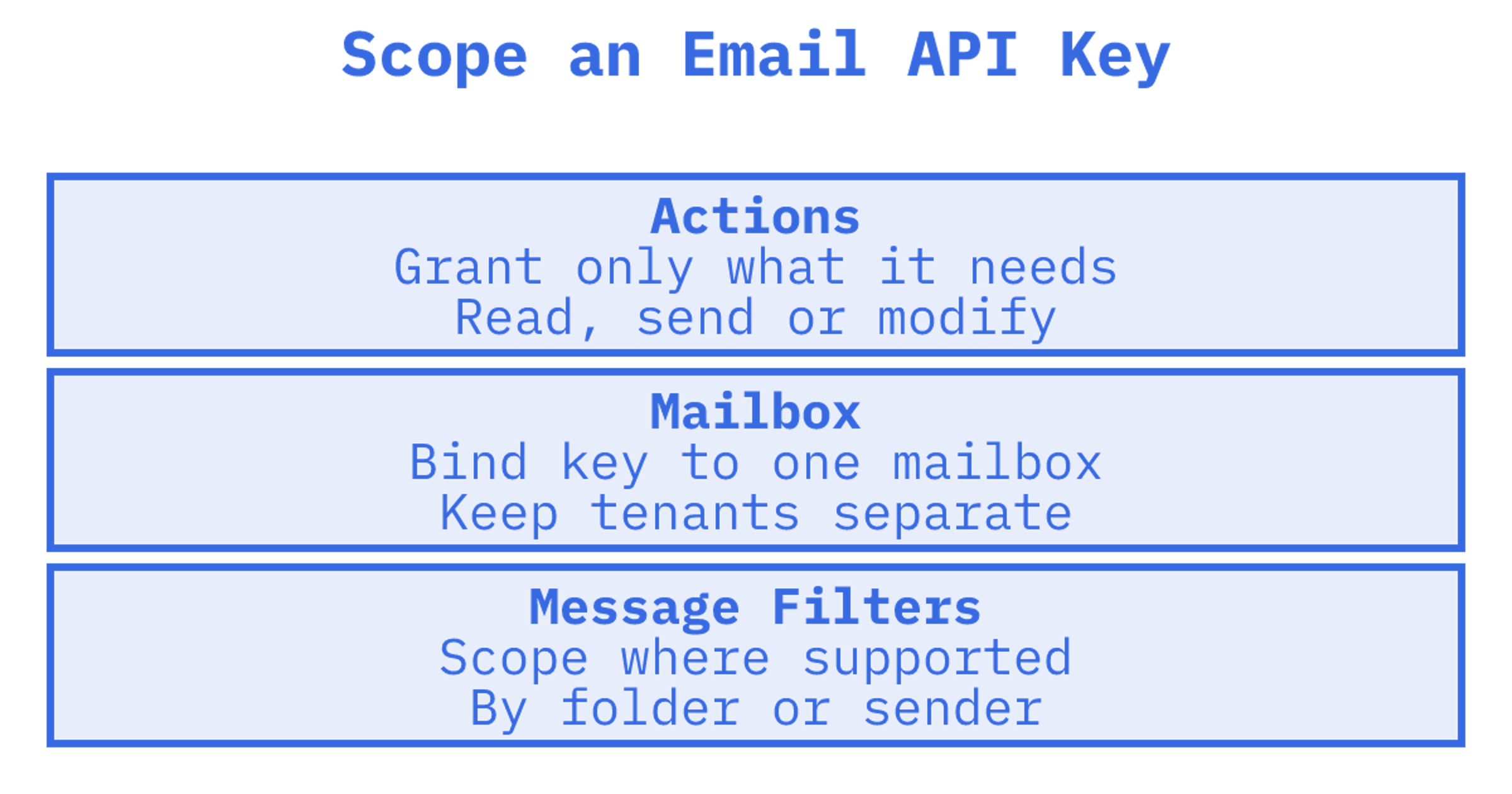
A scoped API key is a key that can do only what you have listed for it, and nothing else. For email, that means an agent holding the key can read one mailbox, or send but never read, instead of holding a credential that reaches every inbox in your account. If you run one agent per customer, workspace or tenant, scoping is how you stop a bug, a prompt injection or a leaked key in one agent from becoming a breach across all of them.
This guide explains what scopes mean, how they differ from unrestricted keys and OAuth, what an email-specific scope design should cover, and how to roll keys out, rotate them and revoke them. Qubrics lets you provision dedicated mailboxes for agents, customers, workspaces or tenants within your team's plan limits. Mailbox keys can be scoped to one mailbox.
TL;DR
- A scoped key restricts which actions (read, send, delete) and which resources (mailboxes, folders, messages) a credential can touch.
- Scopes can only narrow access. They never grant more than the owner of the key already has.
- For email, the safest unit of isolation is one mailbox per agent, with a key limited to that mailbox and the verbs the agent needs.
- Give every key a name, an owner and a rotation date, and revoke it the moment an agent is retired.
- Use the Qubrics Management API to provision a mailbox for a tenant. Give the agent a mailbox key scoped to that mailbox.
Table of Contents
What a scoped API key actually means
An API key is a value an application sends with a request so the API can identify the caller, apply limits, track usage or decide whether to allow it. Auth0 describes keys as usually long-lived unless rotated, and often broad or manually configured. That combination is the risk: a static, long-lived, over-permissioned key that leaks gives an attacker everything the key could do, for as long as nobody notices.
Scoping fixes the "over-permissioned" part. Stripe's model is a useful reference. Its documentation separates publishable keys, restricted keys whose permissions you choose, and secret keys with unrestricted access, and it recommends restricted keys for most use cases. The pattern is general: one master credential for administration, and narrow keys for everything that runs.
One rule matters for design. OpenAI's guidance states that a key's scopes can restrict what it does but never grant permissions the owning user or service account lacks. Treat scopes as a ceiling you lower, not a privilege you add.
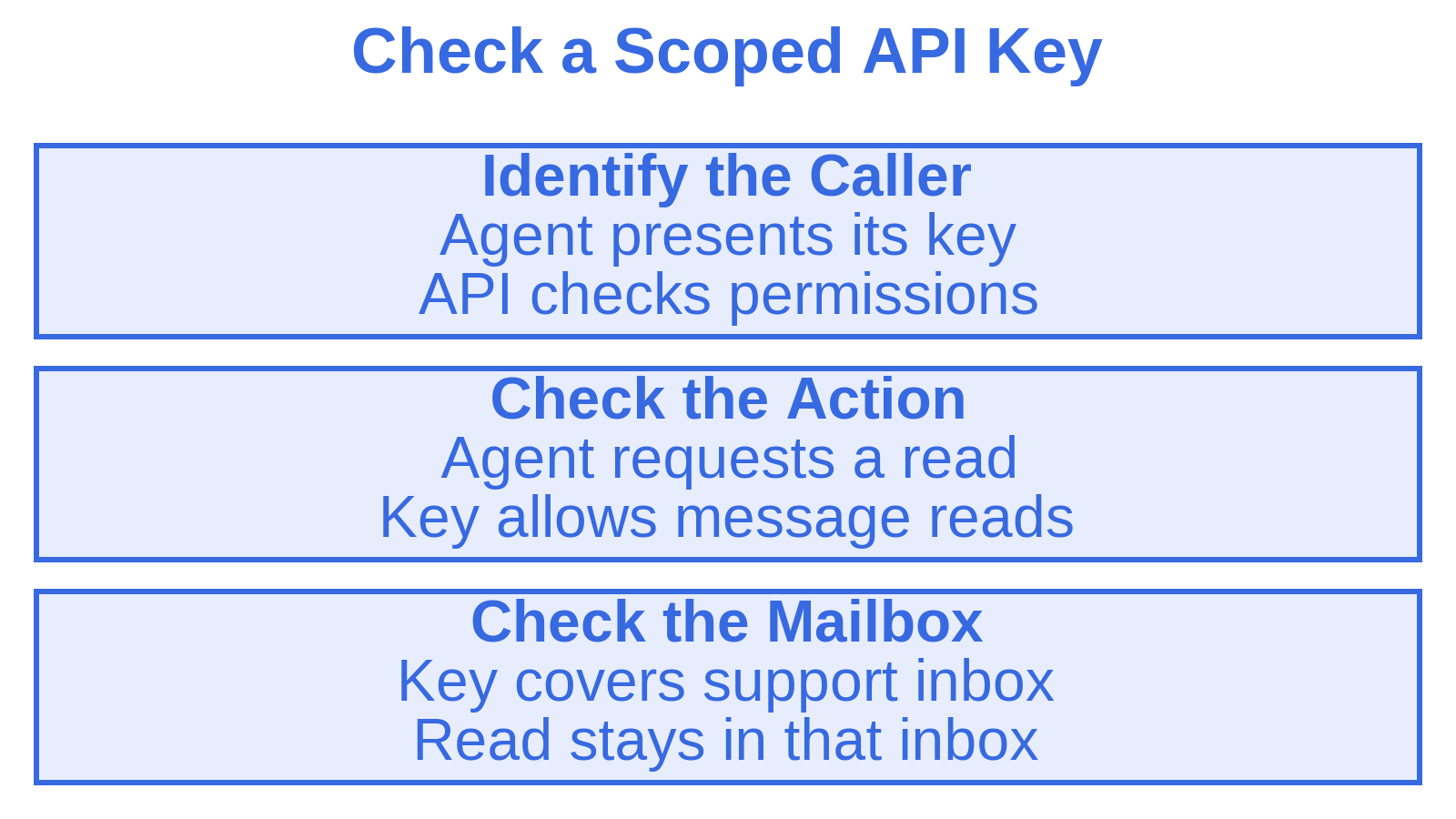
Scoped keys versus OAuth scopes
People often mix the two up, so it helps to separate them.
| Scoped API key | OAuth access token | |
|---|---|---|
| Lifetime | Usually long-lived until rotated | Short-lived, refreshed |
| Identifies | The application or service | A user, client, audience and scopes |
| Best for | Server-to-server calls, agents, scripts | Acting on behalf of a signed-in person |
| Main risk | Leak of a static secret | Token refresh failures and consent drift |
Auth0 notes that tokens can carry user, client, audience, scopes and claims with short expiry, and that multi-tenant platforms are moving towards token-based authorisation. Both models can coexist: many teams keep a scoped key for agent runtime calls and use OAuth where a human delegates access.
Email adds a twist. With Microsoft's Graph, an app using the client credentials flow and application permissions such as Mail.Read can, by default, reach every mailbox in the organisation. Administrators must then restrict it to specific mailboxes using a mail-enabled security group and an application access policy. The policy rules are subtle: DenyAccess is evaluated before RestrictAccess, and a Restrict policy whose group excludes the target mailbox denies access. That is workable for an IT admin, but heavy for a product team that wants a new tenant isolated in seconds.
What an email-scoped key should control
A good email key design limits three dimensions. Use this as a checklist when you design or evaluate any email API.
1. Verbs: what the key may do
Split permissions by action, not by product area:
- Read: list, fetch and search messages.
- Send: submit outbound mail.
- Modify: move, flag, mark read, delete.
- Administer: create mailboxes, verify domains, manage keys.
A monitoring agent that only reads alerts should never hold send. A notification agent that only sends should never read replies. An administration verb should sit on a key that no agent ever sees.
2. Resources: which mailbox or mailboxes
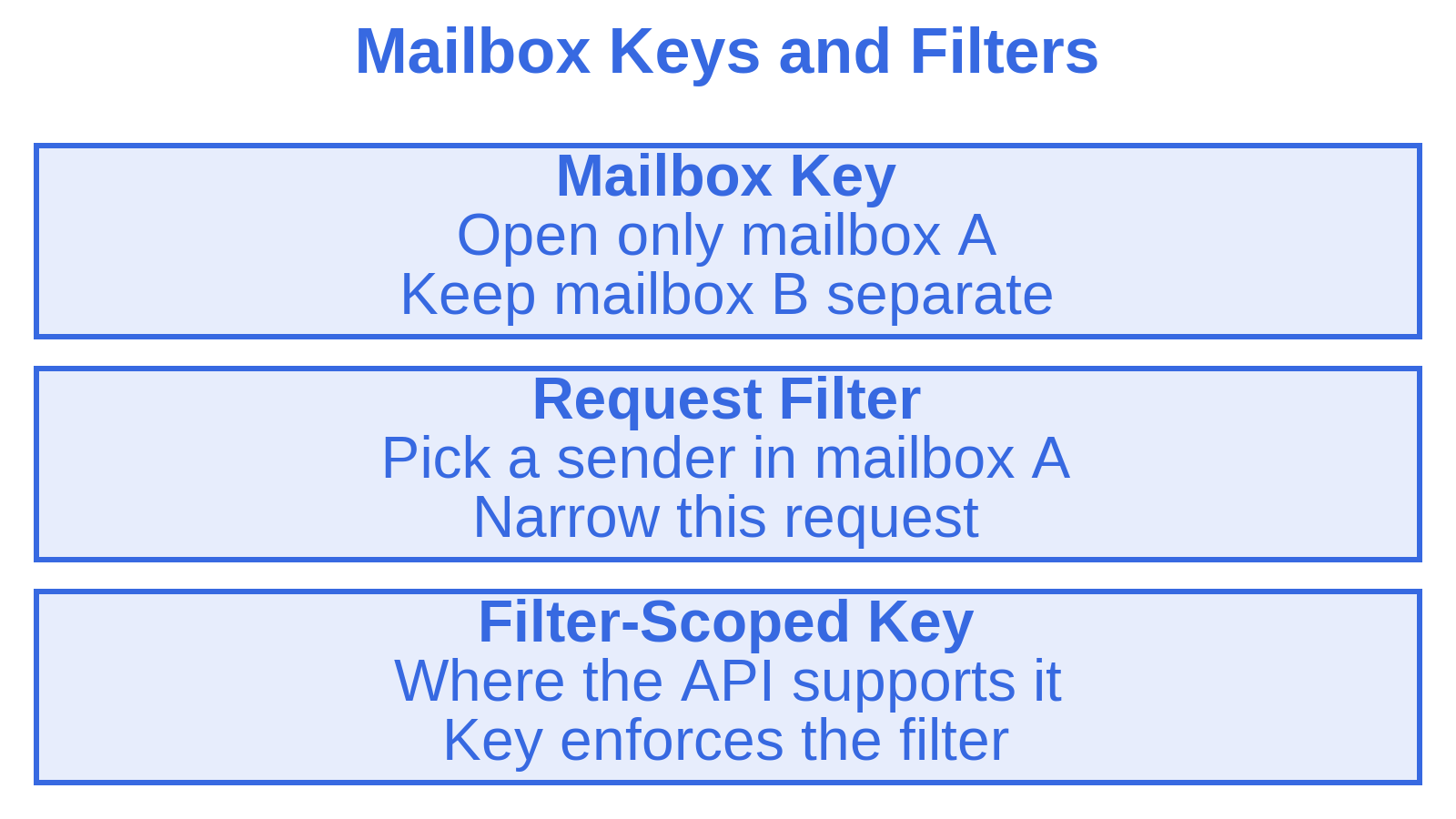
This is the dimension that matters most for multi-tenant products. A key bound to one mailbox cannot read another tenant's mail even if the agent is tricked into trying. Compare that with a broad key plus an application-level filter: it works until the one code path where somebody forgets the filter.
3. Filters: which messages inside the mailbox
Sometimes an agent needs only part of a mailbox: one folder, one sender domain, one label. Filter-scoped keys narrow access to messages matching a rule. They are useful, but a filter is a weaker boundary than a mailbox boundary, because the data still lives alongside everything else. Use filters to refine access inside a mailbox you have already isolated, not as the primary wall between customers.
Worked example: three agents, three keys
Suppose you run a support product for 200 customers, and each customer has a support agent, plus you run an internal reporting agent.
- Per-customer support agent. Key limited to that customer's mailbox. Verbs: read, send, modify. No administration.
- Outbound follow-up agent. Key limited to a sending identity. Verb: send only.
- Internal reporting agent. Key with read across a named set of mailboxes and a count or search-only capability, so it can answer "how many tickets arrived today" without pulling message bodies.
- Provisioning service. The only holder of the administrative key, kept server-side and never passed to a model.
If the support agent for customer 17 is hijacked by a malicious email, the worst case is customer 17's own mailbox, not 200.
How Qubrics approaches isolation
Qubrics lets you provision a dedicated mailbox on the included @myagent.mx domain or a custom domain verified for receiving, within your team's mailbox limit. The Mailbox API reads messages and threads and can send from the authenticated mailbox. Use the Sending API for provider-routed outbound mail and the Management API to provision mailboxes and read delivery logs. Our multi-tenant email infrastructure is designed for that per-tenant model, and our guide to per-tenant email identity covers the identity side in more depth.
The Mailbox API supports filters on GET /mailbox/messages for folder, thread, free-text query, sender and recipient fields, subject, body, headers, size range, keywords, received date range, attachments and unread state. Use the thread filter on its own. The count endpoint returns a total without message rows. The search-snippets endpoint returns subject and preview snippets. An agent that only needs a total can use the count endpoint without fetching message content. Our mailbox API guide walks through these endpoints.
The Mailbox API can return cleaned message text with quoted history stripped so the agent can read the new reply. Sending less text to the model can limit the content it sees and reduce the tokens it processes.
Creating, using, rotating and revoking keys
The lifecycle matters as much as the scope. Whatever API you use, follow this routine.
Create
Start from zero permissions and add only what the agent's task needs. Name the key after the agent and tenant it serves, for example support-agent-west, so logs are readable later.
Store and use
Keep keys in a secrets manager or environment variables, never in source code, prompts or client-side bundles. Pass the key to the tool layer that calls the API, not into the model's context. An agent that can print its own key can leak it.
Rotate
Static, long-lived keys are the risk Auth0 highlights, so set a rotation schedule. The safe pattern is to issue a second key, deploy it, confirm traffic has moved, then delete the first. Rotating immediately after any staff change or suspected exposure is standard practice.
Revoke
When an agent is retired or a customer leaves, delete the key and then the mailbox. A forgotten key on a dormant agent is the most common way old access stays alive.
Monitor
Per-key usage and delivery logs let you spot an agent suddenly sending ten times its normal volume. Alert on that, because a leaked key usually shows up as unusual volume first.
Security practices that hold up
- Least privilege by default. Grant the smallest set of verbs and the fewest mailboxes.
- One key per agent. Shared keys make it impossible to tell which agent did what, and force you to rotate everything when one leaks.
- Separate admin from runtime. The key that creates mailboxes should not be the key an agent calls.
- Treat inbound mail as untrusted input. An email can contain instructions aimed at your agent. A key limited to send-only, or to a single mailbox, limits what such an instruction can achieve.
- Log and review. Keep per-tenant logs so an audit can answer who accessed which mailbox and when.
- Prefer mailbox boundaries over filters. Use filters for refinement, not as the only protection.
Moving off Gmail and Outlook credentials
Many teams reach scoped keys after fighting provider credentials. Under Microsoft's model, a tenant-wide application permission needs an extra access policy to be narrowed. OAuth tokens to consumer-grade mailboxes can expire in production and break an agent mid-task. Giving each agent its own mailbox behind a single key avoids borrowing a human's account. If you still send through your own Gmail or Outlook accounts, Qubrics routes outbound across connected providers, and our guides on Gmail OAuth sending and Outlook sending limits cover the common failure points.
Where Qubrics fits
The Free plan is 0 USD per month per team and Pro is 7 USD per month per team. Each plan has its own mailbox and credential limits. Connected outbound costs 0.000500 USD per provider-accepted recipient occurrence. Managed sending costs 0.000750 USD per provider-accepted recipient occurrence. Inbound costs 0.000500 USD per distinct mailbox delivery, and storage costs 0.02 USD per decimal GB-month. Enterprise pricing is custom. See the Qubrics pricing page, explore inbound mailboxes or use the MCP option for AI agent builders if your agent runs in an AI client.
Our perspective
Most email incidents involving agents are not clever attacks. They are an over-broad credential meeting an agent that was told to do something it should never have been able to do.
Qubrics uses the mailbox as an access boundary. A mailbox key is scoped to one mailbox. Use count or search-snippets for tasks that only need a total or preview. Keeping full bodies out of those requests can reduce how much content the agent sees and how many tokens it processes.
Our advice to platform teams: decide your verbs, decide your mailbox boundary, give every agent its own key, and rotate on a schedule. Then put the effort you saved into the product your customers actually pay for.
Sources
Recommended
Frequently Asked Questions
What is the difference between a scoped API key and an unrestricted key?
An unrestricted key can perform every action its owner can, on every resource. A scoped key is limited to listed actions and resources, such as reading one mailbox. Stripe recommends restricted keys for most use cases for exactly this reason.
Can a scoped key give an agent more access than I have?
No. Scopes only narrow access. As OpenAI's documentation states, a key cannot grant permissions that its owning user or service account lacks, so the owner's own permissions are the ceiling.
Should I use mailbox-scoped keys or filter-scoped keys?
Use mailbox scoping as your main boundary between agents and tenants. Add filters, such as a folder or sender rule, to refine access inside a mailbox. A mailbox boundary is harder to bypass by accident than a filter applied in code.
How often should I rotate email API keys?
Choose a fixed schedule that suits your risk, and rotate at once after a staff change or suspected exposure. Issue the new key, move traffic, confirm, then delete the old one so there is no downtime.
Is an API key or OAuth better for agents?
For server-to-server agent calls, a narrowly scoped key is simple and predictable. OAuth suits cases where a person delegates access to their own account. Auth0 notes that tokens carry scopes and short expiry, which helps where user context matters.
