Bring Your Own Inbox: How to Connect Customer Email to AI Agents

'Can I change my delivery address?' A shopper writes back after your agent sends an order update through the shop's SMTP server. The reply reaches the shop's Gmail or Outlook inbox. A bring your own inbox connection lets the agent read it there, while the original send goes through bring your own SMTP.
We'll look at the access the agent needs, where replies should land and when to give it a mailbox alongside the customer's sending provider.
TL;DR
- Bring your own inbox connects an account someone already uses. With a managed agent mailbox, the agent gets its own address.
- Bring your own SMTP sends mail through your provider. To handle replies, add a receiving path such as IMAP or a mailbox API.
- For a Gmail or Outlook connection, plan how the agent will respond if an OAuth grant expires or the provider limits its sends.
- Grant read and send permissions separately. Require approval before the agent sends mail.
- Qubrics offers persistent mailboxes through the Mailbox API and routes outbound mail through your own providers with the Sending API.
Table of Contents
1. What bring your own inbox actually means
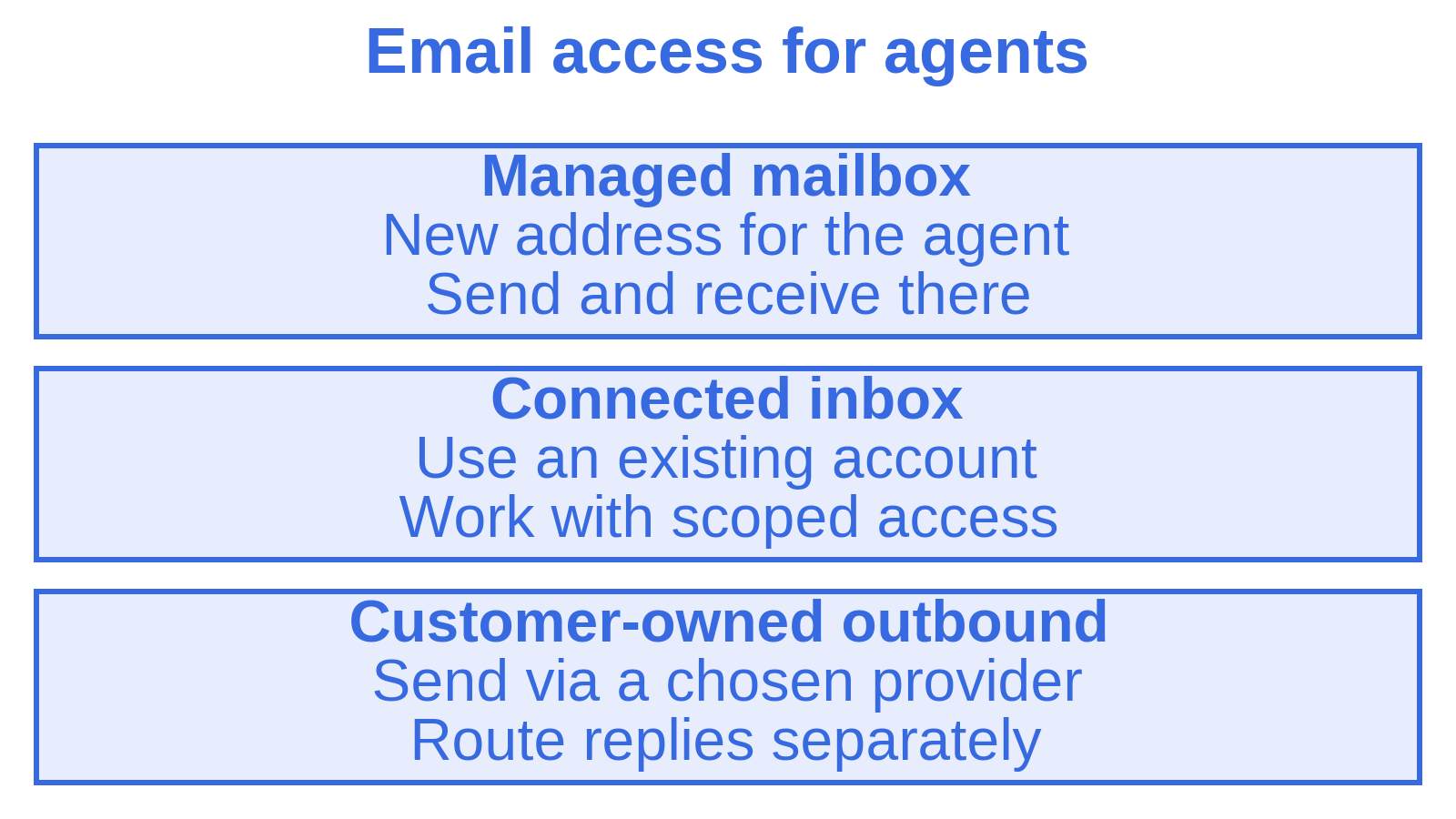
A bring your own inbox setup connects an account someone already uses. It's one of three ways to give an agent email.
Give the agent a new mailbox. A scheduling agent can send invitations and receive replies at its own address. Use a shared domain or a custom domain you verify.
Connect an existing inbox. An assistant can handle email on a customer's behalf after the customer grants access to the mailbox they already use. For Gmail or Outlook, this typically uses OAuth.
Use the customer's sending provider. Submit outbound mail through the customer's Gmail, Outlook or Amazon SES account, or their SMTP server. Decide where replies go.
For each tenant, decide which identity appears in the From field. Then choose the inbox where the agent will read the reply.
2. How an agent uses an inbox the user already owns
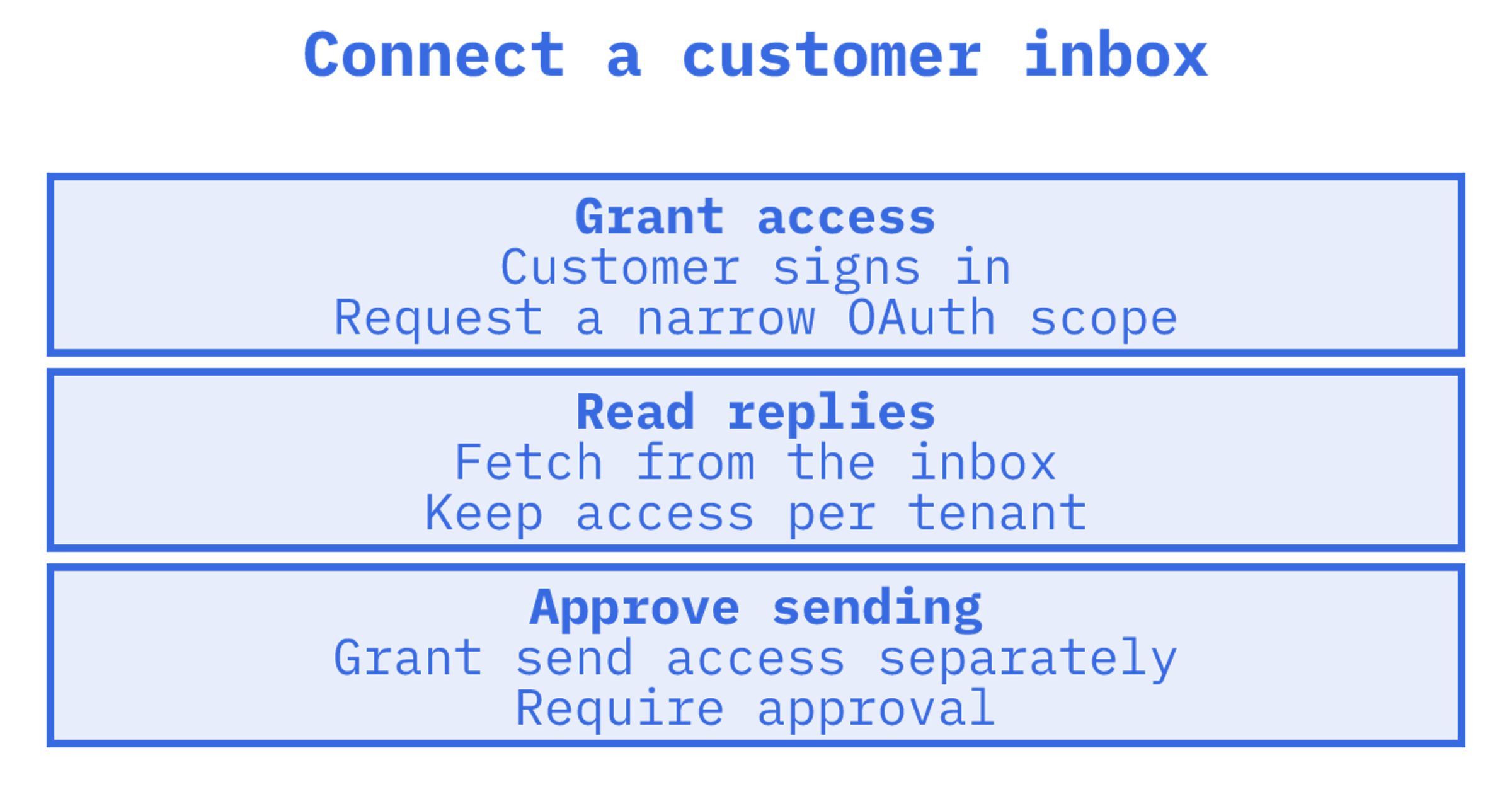
The typical flow for a connected account has five steps:
- Have the user sign in with the provider and grant a scoped OAuth permission.
- Store the refresh token securely with a record of the tenant and account it belongs to.
- The agent reads messages through the provider API or IMAP. If the user grants send access, it can use the provider's sending API or SMTP.
- Link each provider message ID to the thread and tenant records in your app.
- Record the agent's email actions in the tenant's log.
Steps 2 and 4 use the same tenant and account association. Store it with the refresh token. When you look up a message ID, use that association to find the right tenant and thread for the reply.
For Gmail, read Google's verification requirements for restricted scopes before opening the app to outside users. If the assistant only answers questions about mail, start with read-only access or metadata access and pick the narrowest scope that covers the work. Add send access separately when needed.
If a Gmail connection stops sending, use our Gmail OAuth sending guide to check for an expired token or revoked grant.
3. What bring your own SMTP means, and where SMTP stops
An app uses SMTP to hand a message to a server for delivery. To bring your own SMTP, configure the provider's host, port and credentials. Receiving support varies by provider and interface.
What SMTP does not do is just as important:
| Job | SMTP | IMAP | Webhook or event stream | Mailbox API |
|---|---|---|---|---|
| Send a message | Yes | No | No | Yes |
| Read the inbox | No | Yes | No | Yes |
| Push new mail to your code | No | Limited (polling or IDLE) | Yes | Yes, via sync tokens or webhooks |
| Search with filters | No | Basic | No | Yes |
| Thread replies | Headers only, you build it | Server dependent | You build it | Built in |
| Delivery and bounce visibility | Response codes only | No | Depends on provider | Logs and events |
When you bring your own SMTP, the app can submit outbound mail. Replies need a path back. If the agent acts on replies, decide how it learns one has arrived and where it fetches it. Poll for changes via IMAP or a mailbox API. A webhook can tell your code when the receiving service gets new mail.
4. Credentials, permissions and DNS you need
Before the first send, check the domain settings, where the credentials live and which actions the agent has permission to take.
Credentials
- For Gmail or Outlook, set up the OAuth client and refresh token. An SMTP setup needs the host, port and sending credentials.
- Store each tenant's secrets separately, outside the model's context.
- Set up credential rotation and a way to revoke access when a customer leaves.
Permissions
- Read scopes separate from send scopes.
- Scope each key to one tenant. Verify the tenant on every mailbox request.
- Distinct approval for any action that sends mail.
DNS and domain
- Authorise every service that sends for the domain in its SPF record.
- DKIM signing for each sending domain.
- Set the domain's DMARC policy for the way you send mail.
- For a domain that accepts inbound mail, use MX records to direct it to the receiving service.
When you add or remove a provider, review each sending domain's SPF record. Qubrics verifies a custom domain after you publish the required DNS records and request verification. An agent can register on the included @myagent.mx domain without editing DNS. Sending through that self-registration flow requires owner approval.
5. Failure modes to plan for
Plan how you'll diagnose trouble after launch, including revoked grants and replies that land in the wrong thread.
Detect expired tokens and revoked grants. A password change or a stricter admin policy can cut off the agent's access. Flag the connection as unhealthy and tell the tenant what needs attention.
Plan for provider limits and suspensions. A burst of agent sends can use up the daily allowance or trigger a suspension. Put quotas on each mailbox and provider. If the tenant has approved a backup route, decide in advance when to switch.
Watch for delivery trouble. A message can land in spam even after the sending service accepts it. Keep bounces, suppressions and complaints scoped by tenant so you can tell which domain to investigate.
Keep replies in the right thread. For an API that uses in_reply_to and references, pass along the original message ID and references chain. If a reference is missing, the recipient can see a new conversation.
Protect sending from inbound prompt injection. Treat incoming email as untrusted and keep send approval outside the model. A guide to connecting an email inbox to an assistant describes how instructions in an email can lead to an unintended send. For unattended workflows, enforce the permitted recipients and templates in code, along with a cap on messages.
6. Inbound routing, threading, attachments and audit
As mail comes in, decide what each agent gets to see. Work out which parts of a message it needs and where you'll record its actions.
Route mail before it reaches the model. Choose the agent or queue from the recipient address and tenant. If you need to narrow the route, add a rule based on the sender, header or subject.
Keep track of the thread. Save the message ID and references chain. Let the agent read the new reply so it can see what changed. In our Mailbox API, agents read cleaned message text with quoted history removed, and raw body endpoints remain when you need the exact original.
Set rules for attachments. Use base64 or pass an upload reference. Set size limits and scan the file before the agent opens it.
Keep each tenant's mail and audit trail together. Give the tenant a separate mailbox, keys and logs. If a customer asks what the agent sent last Tuesday, check that tenant's delivery log.
7. Customer-owned inbox, or a managed mailbox?
Start with what the agent does and whose email identity the recipient should see.
| Situation | Better fit |
|---|---|
| The agent acts as a person, in that person's existing mail | Connected inbox |
| The agent has its own identity and role (support, scheduling, intake) | Managed mailbox |
| Customers must send from domains and providers they already pay for | Bring-your-own outbound routing |
| You need persistent threads, search and change sync for the agent | Managed mailbox or mailbox API |
| Verification emails and signups for browser or computer-use agents | Managed mailbox |
| You want failover across two or more providers | Multi-provider routing |
| Mail volume per tenant is small and per-seat pricing hurts | Managed mailbox without per-seat fees |
For a multi-tenant product, give each tenant's agent a mailbox for replies and pick the outbound provider separately, from services the customer may already use such as Gmail, Outlook, an SMTP relay or Amazon SES. Our guide explains email inboxes for AI agents. The Gmail and SendGrid comparison covers what you still need to build if you use either one for agent email.
8. How Qubrics handles bring-your-own sending
Qubrics provides email APIs for AI agents. Use the Management API to provision mailboxes, the Mailbox API to read incoming messages, and the Sending API to route outbound mail through your configured providers.
You can add Custom SMTP, Gmail or Outlook / Microsoft 365 sending accounts. Gmail and Outlook connections use the provider's sign-in flow. Qubrics also offers managed Amazon SES. You can set provider quotas and weights and route through eligible providers in a delivery group. See our email sending API if you send from several domains.
You can provision mailboxes for agents, customers or tenants on the included @myagent.mx domain or on a custom domain verified for receiving, within your team's mailbox limit. The Mailbox API supports filters for folder, thread, sender, subject, headers, received date and attachments. Use the count endpoint for totals. Poll for changes with typed state tokens. The Mailbox API has a send endpoint for the authenticated mailbox. See agent inboxes for the mailbox setup. The agent builder page shows where it fits into an agent workflow. You can use the CLI to register an agent inbox on the shared domain.
9. Our perspective
We built Qubrics because we kept watching the same stack get assembled: a sending provider, a Gmail OAuth hack, a parser, a webhook relay and a separate bill for each. It works in a demo. In production, every piece has its own failure mode, and the agent is the one that pays for it.
Our view is that "bring your own inbox" should be a routing decision, not an architecture. Your customers should be able to keep the providers, domains and reputation they already own. Qubrics offers persistent mailboxes with threads, search and quota visibility through the Mailbox API. Read delivery logs through the Management API. The Sending API routes outbound mail through your connected providers.
We also think the mailbox is where the next layer of value sits. Cleaned, threaded, permissioned mail is the raw material for agents that can act on accurate context, and that is the direction we are building towards.
10. Pricing for bring-your-own sending
Estimate each tenant's cost from how much mail you expect them to send, receive and store. The Free plan is US$0 per month per team and Pro is US$7 per month per team. Enterprise pricing is custom. Usage is billed separately. Connected outbound costs US$0.0005 per provider-accepted recipient occurrence, and inbound costs US$0.0005 per distinct mailbox delivery. Mailbox storage costs US$0.02 per decimal GB-month. The pricing page has the details. On Free, you can connect one sending account of your own.
Sources
Recommended
Frequently Asked Questions
Is bring your own inbox the same as bring your own SMTP?
Bring your own SMTP covers outgoing mail through a server you control. Bring your own inbox lets the agent work with an account the user already owns, including reading messages. Most agent products need a receiving path alongside SMTP.
Can an AI agent use my Gmail account safely?
For a Gmail agent that summarises messages, start with a read-only OAuth scope. Grant send access separately if the agent needs it. Require approval before each message goes out.
Do I still need IMAP if I use a mailbox API?
For the agent, a mailbox API with search, batch operations and change tokens can take the place of IMAP polling. Check provider compatibility if another tool needs IMAP or SMTP.
When should an agent have its own mailbox instead of using a customer's?
Give a scheduling agent its own mailbox when it needs an address for booking replies. With Qubrics, you can provision it on the included @myagent.mx domain or a custom domain verified for receiving, within your team's mailbox limit. Use the customer's account if the agent needs to work inside that person's existing mail.
What DNS records do I need to send from my own domain?
On each sending domain, configure SPF and DKIM and publish a DMARC policy. If it also receives mail, point its MX records at the receiving service.
