Support Agent Email: How to Give an AI Agent a Real Inbox

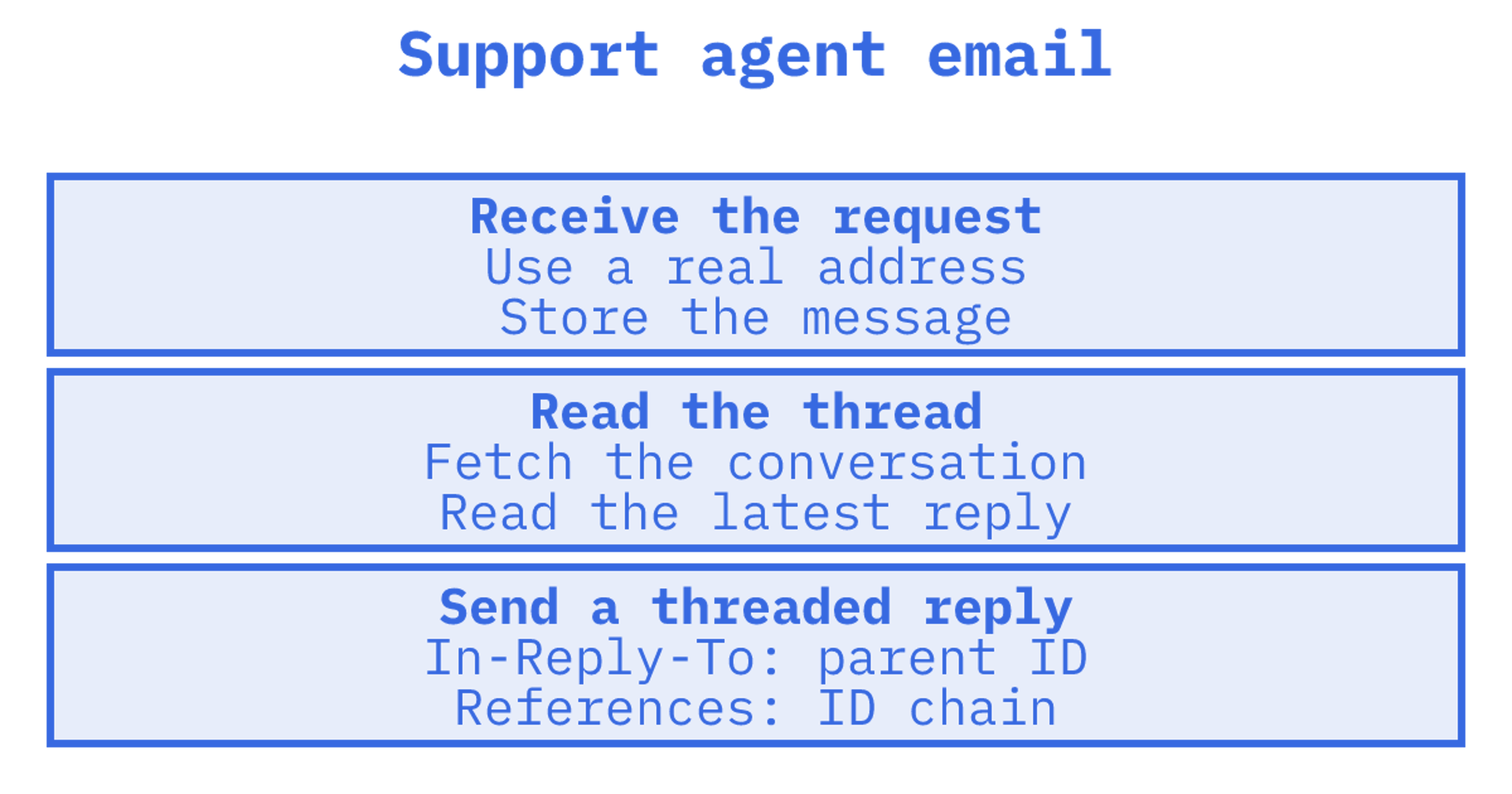
A support agent email is the address your customers write to and your AI agent answers from. In production, give the agent a real mailbox that stores messages and threads. It needs to reply from the same address and record delivery events. With Qubrics, the mailbox receives and stores incoming mail. The Mailbox API reads it, and the Sending API sends mail through configured providers. This guide walks through what that mailbox has to handle and where teams usually trip.
The phrase also means a human support rep's address, and that is a different job (hiring, outsourcing, help desk seats). This article is for developers and platform teams building the agent side.
TL;DR
- Give the support agent a real address backed by a persistent mailbox. A webhook that delivers raw MIME leaves storage to your app.
- Set the
In-Reply-ToandReferencesheaders so the customer’s mail client can group replies with the original conversation.
- Give each customer, workspace or tenant its own mailbox, quotas and logs so you can keep each tenant’s email activity separate.
- Authenticate every sending domain with SPF, DKIM and DMARC, and route outbound across more than one provider so a single suspension does not stop support.
- Start on Qubrics’s Free plan with a mailbox. Use the Mailbox API to read incoming mail and the Sending API to send through configured providers.
Table of Contents
What an agent email actually is
An agent email is a mailbox that belongs to software. It has an address (for example support@example.com, or an address on a shared domain), it receives mail from anyone, and an agent reads and answers that mail through an API instead of a person logging in.
The common shortcuts all break in support work:
- A shared Gmail or Outlook account with OAuth. It works in a demo. In production, tokens expire or get revoked, consent screens block automation, and a provider can rate-limit or suspend an account that suddenly behaves like a bot.
- IMAP polling and SMTP scripts. You end up owning connection handling, parsing, retries and state, and you re-list the inbox on every cycle.
- A sending API plus an inbound parser plus a webhook relay. Four vendors, four bills, and no single place that knows which message belongs to which conversation.
A Qubrics mailbox is persistent state. The Mailbox API covers messages, threads, folders, keywords, attachments, sender identities, quotas, usage and submissions, so the agent can ask the mailbox what happened instead of reconstructing it.
What a support agent mailbox has to handle
Support email is messier than most agent inputs. Plan for each of these before you write a prompt.
Inbound messages the agent can actually read
Customer replies arrive wrapped in quoted history, signatures and disclaimers. If the model reads all of that, you pay for those tokens on every turn and risk the agent answering something the customer said three emails ago. The Qubrics clean content endpoint can strip quoted history from the message text. Request cleaned HTML when you need it. Use the raw body endpoint for the original body as stored, for example when handling an audit or dispute. Sending only the cleaned reply to the model can reduce how many tokens it processes.
Attachments
Screenshots, invoices and PDFs are normal in support. Send small attachments inline as base64, or use an uploaded reference. Inbound messages carry attachment metadata, so the agent can fetch only the files it needs.
Retrieval that stays small
A support agent that lists the whole inbox on each run is slow and expensive. GET /mailbox/messages filters on folder, thread, free-text query, sender and recipient, subject, body, arbitrary headers, size, keywords, date range, attachments and unread status. Use the thread filter on its own. A count endpoint answers "how many open?" without returning rows, and search-snippets returns previews without pulling full bodies. Sync endpoints return state tokens, so the agent polls for typed changes to the mailbox, a folder or a query rather than re-reading everything.
Routing and escalation
Most support agents should not answer everything. Billing disputes, legal threats and angry long-term customers belong with a person. Folders and keywords give you a simple mechanism: the agent tags a message, moves it to an escalation folder, and your human team picks it up from there. Agents and staff can use mailboxes on the same verified domain. A person can open the mailbox in a mail client to handle the handoff.
Delivery events
A reply that bounced is a support failure the customer cannot see. You want delivery logs, suppressions and webhook events for bounces, so the agent (or your monitoring) knows when a reply did not land and can try another route.
Getting threading right
Threading is where support agents most often look broken. A customer writes in, the agent replies, the customer answers, and the mail client shows three separate conversations because the agent's reply lacked the right headers.
Mail clients group messages using two headers: In-Reply-To points at the message you are answering, and References lists the chain of earlier message IDs. A reply that sets both correctly stays in the thread in the customer's inbox. We cover the header mechanics in more detail in our guide to email reply headers and thread IDs.
Help desk tools make these threading choices explicit. Freshdesk's documentation says its AI agent's replies go out as standard replies inside the existing ticket thread, that in multi-participant threads the agent replies to all participants, and that a reply from a different address creates a new ticket. Translate that into your own build:
- Always reply from the address the customer wrote to. A different sender identity splits the conversation.
- Decide your reply-all policy up front. If a customer copied a colleague, the agent should answer the whole thread or deliberately not.
- Decide what a reply after resolution does. Reopening the same thread or starting a new one is a product decision, and the agent needs it written down.
One isolated identity per customer or tenant
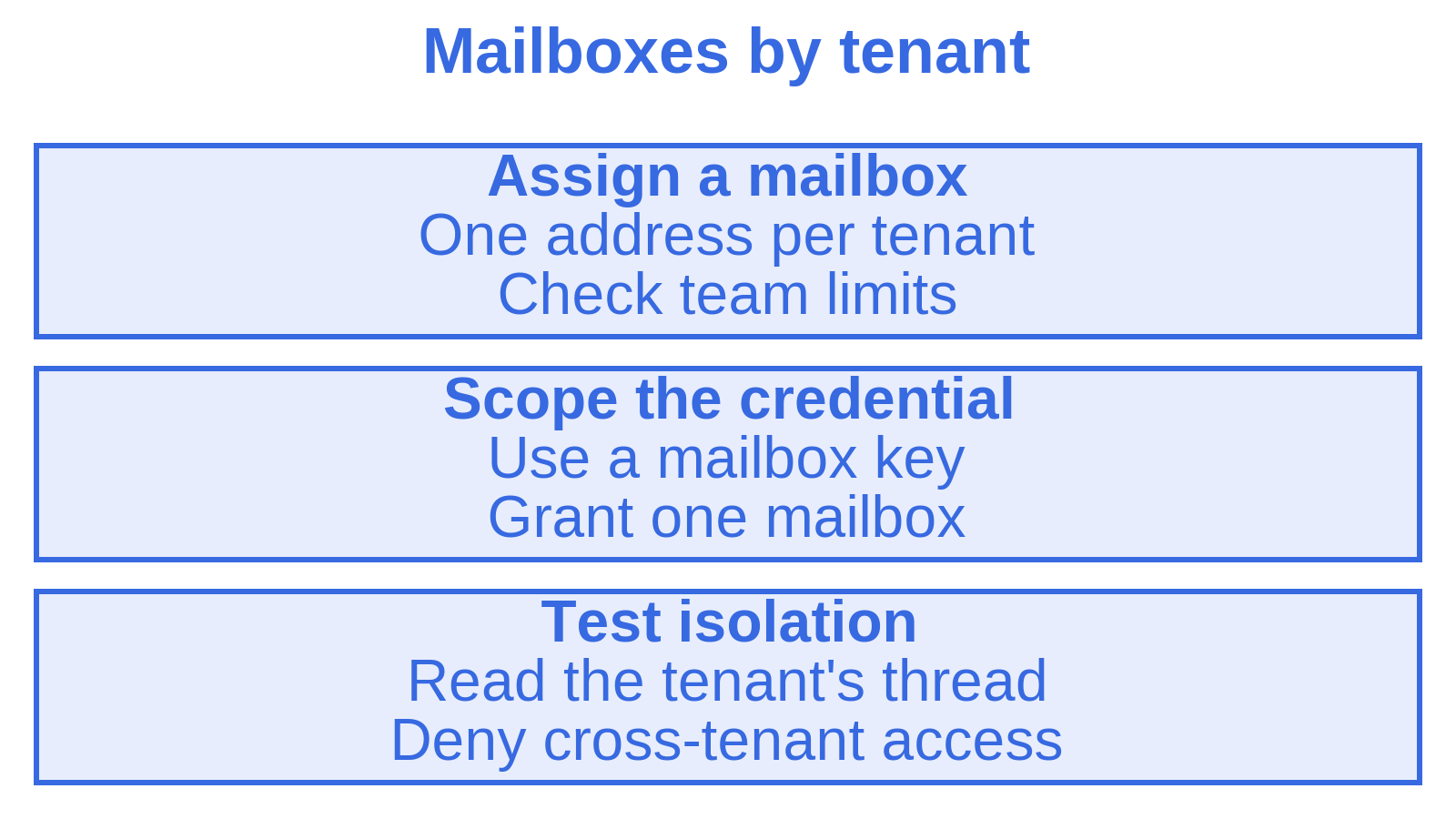
If you sell a support product to other companies, each customer needs its own email identity, and the agent serving one must not be able to read another's mail. The failure mode is subtle: a shared mailbox with a tenant label in a database column works until a prompt injection or a filtering bug exposes the wrong thread.
The safer design is structural. Within your team’s limits, give each agent, customer, workspace or tenant a mailbox with its own address. Use the included @myagent.mx domain or a custom domain verified for sending and receiving. Qubrics scopes manual mailbox credentials to one mailbox. Use the Mailbox API to check that mailbox’s quota usage and send submissions. An agent can register an inbox on @myagent.mx through the CLI without setting up its own DNS. The human owner must accept the invitation and approve sending. Registration can be part of the flow you run when a new customer signs up.
For per-tenant tool access, expose the mailbox to your agent through a narrow interface. Qubrics offers mailbox access through REST and the CLI. An MCP client can read text-like inbound attachments through the documented mailbox tool. In LangChain, CrewAI, the Vercel AI SDK or an MCP-capable client, expose only the mailbox operations your agent needs. Give each agent only the mailbox it serves.
Gmail or Outlook connection, hosted mailbox, or SMTP and IMAP
Three models cover most teams, and the right one depends on who owns the address.
| Model | Fits when | What you carry |
|---|---|---|
| Hosted mailbox through an email API | You are creating addresses for agents or tenants and want one system of record | The platform holds the mailbox, threads and logs |
| Bring your own Gmail or Outlook sending accounts | A customer or your team already sends from provider accounts and wants to keep them | Provider quotas, reputation and credentials |
| SMTP relay and IMAP alongside a REST API | Legacy tools or self-hosted assistants that only speak SMTP or IMAP | A protocol bridge for those tools |
Qubrics provides hosted mailboxes and sends through configured providers such as custom SMTP accounts. Managed Amazon SES is also available through the Sending API. For a support agent the practical pattern is usually: a hosted mailbox as the agent's address and inbox, with outbound routed through whichever providers your customer or your own team already trusts, and SMTP or IMAP access for any tool that cannot use REST.
Events, polling, quotas and failover
How the agent finds out about new mail decides how fast support feels.
Webhooks and event streams for speed. A webhook can notify your app when a message arrives. The agent can start processing the reply without a polling loop. Qubrics supports inbound webhook notifications and a separate live stream for received-message events.
State-token sync for catch-up. Webhooks can fail, and your own service can be down when one fires. The sync endpoints give a safety net: the agent asks "what changed since this token?" and processes only the difference. Run both: webhooks for latency, sync for correctness.
Check capabilities at start-up. GET /mailbox/session reports supported features, state tokens and request limits. Read those limits before the agent starts making requests.
Per-provider quotas and failover. Every provider caps what an account can send. A support agent that goes quiet because one Gmail account hit its ceiling is a bad customer experience. Check mailbox quotas and the caps on each connected sending account. If a route is throttled or suspended, have a second provider with capacity ready. The Sending API supports batch sending.
Watch delivery. Keep an eye on bounces and suppressions. If a customer's address starts bouncing, the agent should stop retrying and flag a human rather than send into a void.
Security and domain authentication
A support inbox is a public attack surface: anyone can email it, and the agent will read what they write.
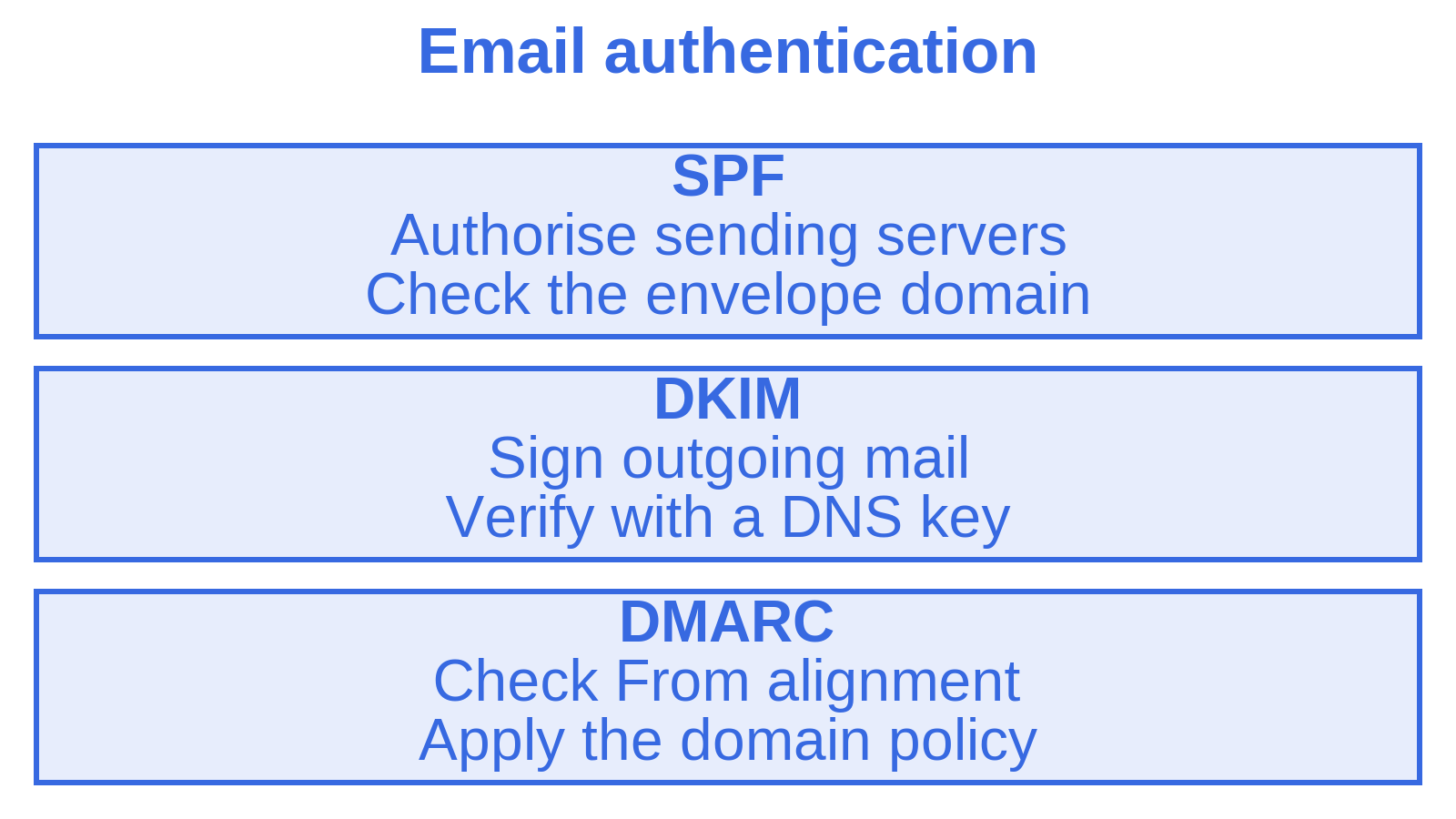
Authenticate every sending domain. Google's sender guidelines say all senders need SPF or DKIM, and bulk senders need SPF, DKIM and DMARC. In practice, set up all three on every domain your agents send from. SPF lists the servers allowed to send for the domain, DKIM signs each message so tampering is detectable, and DMARC tells receivers what to do when a message fails those checks.
Keep credentials narrow. Use one API key or scope per tenant or agent, never a single master key in an agent's environment. Tokens for connected Gmail or Outlook accounts belong in the platform, not in prompts or logs.
Treat inbound mail as untrusted input. The agent should never follow instructions embedded in a customer email that change its permissions, forward other customers' data or alter its policy. Limit what the agent can do with tools (for example, send only from its own identity, read only its own mailbox) so a hostile email cannot widen its reach.
Log everything. Delivery logs and per-tenant audit trails let you answer "what did the agent send, to whom and when?", which is the first question after any incident.
A build checklist for a support agent
- Create a mailbox per agent or tenant within your plan’s limits, on
@myagent.mxto start or on a custom domain verified for sending and receiving.
- Verify the domain with SPF, DKIM and DMARC before the first customer reply.
- Subscribe to inbound webhooks and add state-token sync as the catch-up path.
- Have the agent read cleaned message text, fetching attachments only on demand.
- Send from the mailbox address the customer used, with the
In-Reply-ToandReferencesheaders set.
- Define escalation: keywords and folders for messages a human must handle.
- Set per-mailbox quotas and a second outbound provider for failover.
- Monitor bounces and suppressions, and alert on them.
The Qubrics page for customer support agents shows this setup for the support case, and the guide to agent inboxes covers the mailbox side in detail.
What it costs to run
Free costs US$0 per month per team and has fixed limits. Pro costs US$7 per month per team, plus usage. The Management API reports incoming email, outgoing email and storage costs in US dollars. Check the pricing page for the current list.
Start with a free mailbox
Start on the Free plan with a mailbox on @myagent.mx. Subscribe to inbound webhook notifications and send a threaded reply to yourself. If you registered through agent access, get the owner’s sending approval first. Once the test works, verify your own domain and add a second provider if your plan allows it. The Qubrics pricing page lists current plan and usage details, and the inbound mailboxes page shows what each mailbox includes.
Perspective
Most teams we talk to start support automation by asking which model to use. The harder question is where the conversation lives. If the answer is "in a Gmail account with a token that expires on a Sunday", the model quality hardly matters.
We built Qubrics around a mailbox the agent can come back to. A customer thread has a history, attachments and a mailbox that owns it. Keep the delivery records for its outgoing messages as well. When the agent, the sending provider, the parser and the log each live in a different product, nobody can say with confidence what the customer was told.
Qubrics stores inbound mail in a mailbox you read through the Mailbox API. The Sending API handles outbound mail through configured providers. Give each tenant a real address within your plan’s limits. Customers see support mistakes directly. Design for replies that keep their thread, quotas you can check per mailbox and a second sending path if the first goes down.
The longer-term direction is a context layer that turns a company's mail into accurate, permissioned context its agents can act on. Support is where that matters first.
Sources
Recommended
Frequently Asked Questions
What is a support agent email address?
It is the address customers write to when they need help, such as `support@example.com`. With an AI support agent, a real mailbox sits behind it and the agent reads and replies through an API. Within your team’s limits, Qubrics gives each agent or tenant a mailbox on `@myagent.mx` or a custom domain verified for sending and receiving.
How do I keep an AI agent's replies in the same thread?
Set the `In-Reply-To` header to the message you are answering and `References` to the chain of earlier message IDs. Reply from the address the customer wrote to. A reply from a different address is likely to start a new conversation, as Freshdesk’s threading rules illustrate.
Do I need SPF, DKIM and DMARC for a support mailbox?
Set up SPF, DKIM and DMARC on every domain your support agent sends from. Google’s sender guidelines require SPF or DKIM for all senders and SPF, DKIM and DMARC for bulk senders.
Can I give every customer their own mailbox?
Yes, within your team’s mailbox limits. Create a mailbox per agent, customer, workspace or tenant and use the Mailbox API to read its quota usage and send submissions. An agent can register on `@myagent.mx` without setting up its own DNS. The owner must accept its invitation and approve sending.
Can my agent use MCP or a framework SDK to read and send mail?
From a framework such as LangChain, CrewAI or the Vercel AI SDK, use HTTP to call the Mailbox API for reads and the Sending API for authorised sends. The CLI also supports mailbox reads and sends after approval for an agent registration. An MCP client can use the documented tool to read text-like inbound attachments.
