AI Email Agents: Giving Every Agent a Real Mailbox

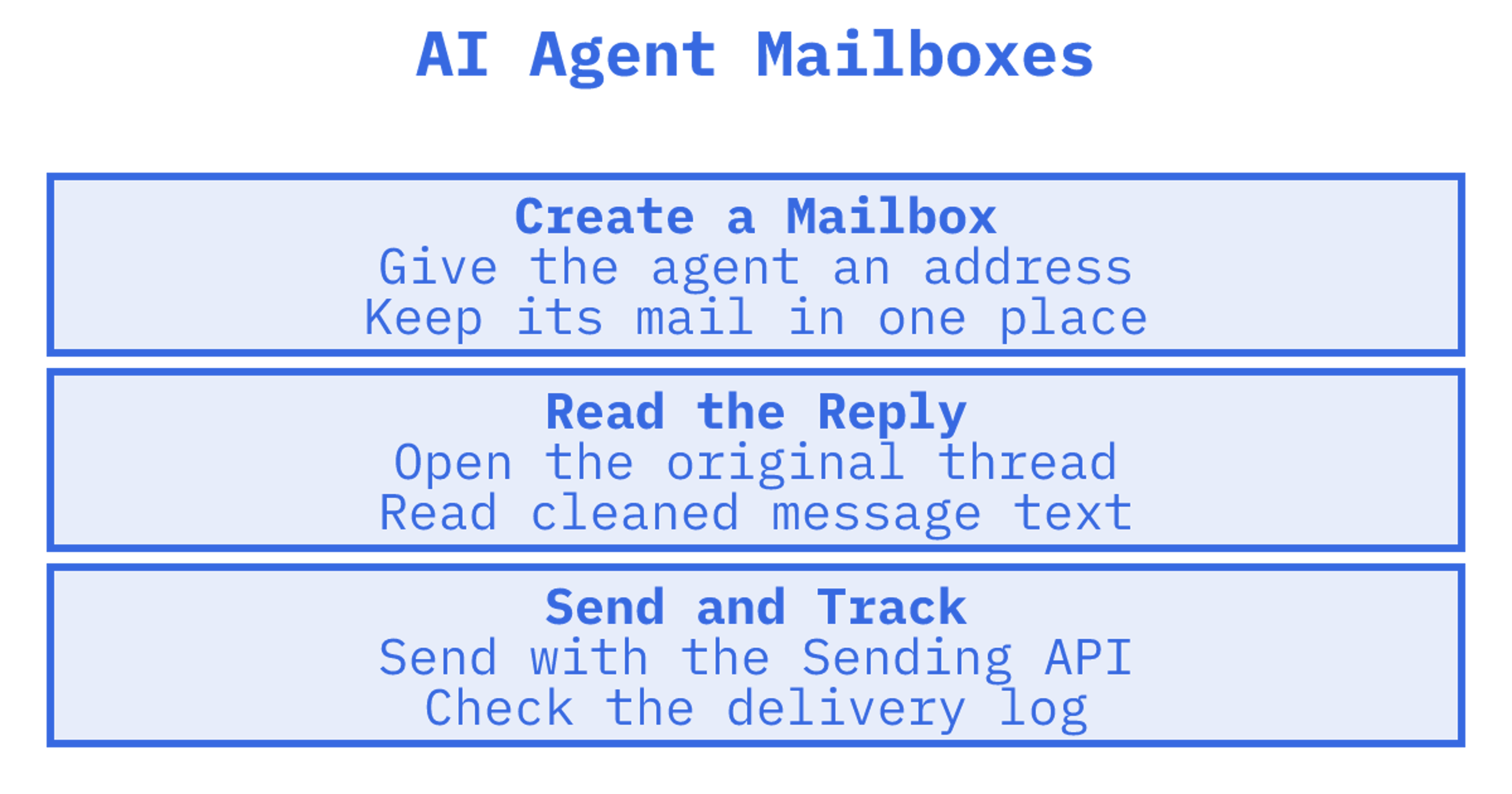
Three days after your AI email agent sends an invoice reminder, the customer writes back. "Can you resend it with our new PO number?" To know which invoice they mean, the agent needs the original thread. Qubrics provides dedicated mailboxes. The Mailbox API reads incoming mail and its threads, the Sending API sends mail, and delivery logs show what happened to each send.
Where will replies land? Decide where your agent keeps its mail, how it finds those replies and what it has permission to send. You'll have to make those choices for every customer who gets a mailbox.
TL;DR
- Give an agent a goal and it works through the steps. Ask an assistant for a draft or summary and you still direct the work. An agent that needs to pick up a conversation on its own should have its own mailbox.
- Provision the agent's mailbox through an API so its access stays separate from a person's Gmail OAuth connection. Check the per-seat price before you plan for one mailbox per tenant.
- Give the model cleaned message text so it can focus on the latest reply. Use search filters to fetch the messages it needs, then use sync tokens to see what changed.
- Decide which messages the agent can send on its own. Treat all incoming mail as untrusted input.
Table of Contents
What makes an email agent different from an email assistant
Ask a Gmail or Outlook assistant for an invoice reminder and you'll get a draft. You decide when to send it. Hand an agent the job of following up on unpaid invoices and it has to handle the replies too.
A 2026 guide to AI email agents describes software that reads its mail, decides what to do and acts through tools. We call it an agent when it can carry a goal through several steps on its own.
That difference changes the infrastructure you need. An assistant borrows a human's mailbox and a human's judgement. An agent has to:
- have its own address where people and systems can reach it
- pick up replies that arrive days later and keep the thread intact
- act without anyone sitting in front of the inbox;
- leave a log of what it read and what it sent.
For a look at how AI fits into agency workflows, see the published AI productivity results for agencies. If an agent is going to handle the conversation, decide where its mail will live.
Three ways to give an agent an email identity
Who owns the address? Work out who'll keep the mailbox running once the prototype is over.
1. Connect an existing Gmail or Outlook account
For a prototype, authorise your agent to read and send through a person's mailbox with OAuth. Once you ship, you own the token refreshes and the work of maintaining the consent screen and access scopes. The agent shares the inbox. If sending spikes, the provider can throttle the account. Before you budget for one mailbox per agent or customer, price another seat in Google Workspace or Microsoft 365.
2. Run your own mail server, or script IMAP and SMTP
With your own mail server, you control the address and storage. You have to keep the server up, handle spam and manage sender reputation and authentication records. If you use IMAP and SMTP scripts, decide how you'll spot new mail and keep each tenant's credentials separate before you add a second agent.
3. Provision a mailbox through an API
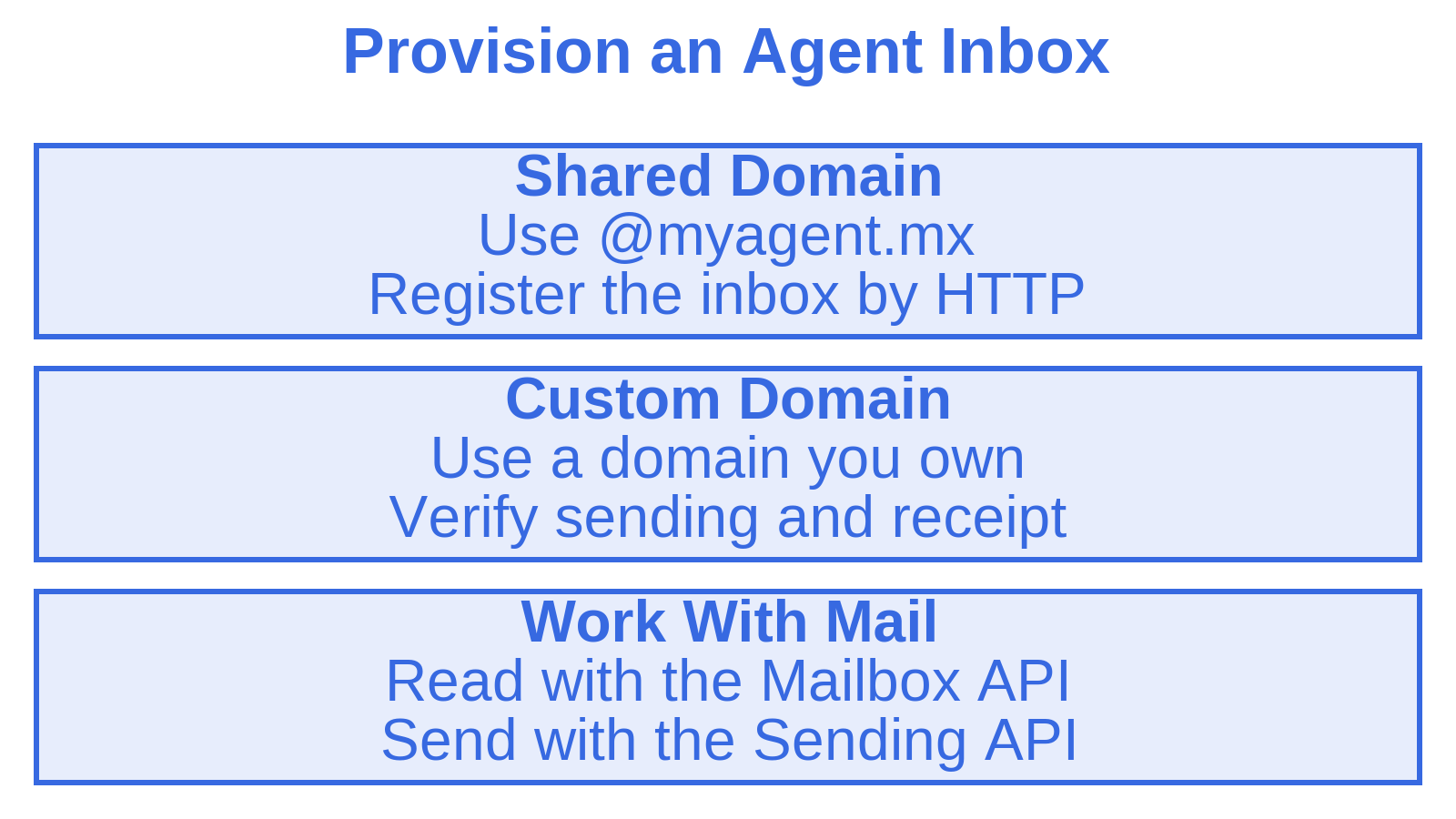
Qubrics mailboxes use an address on the shared @myagent.mx domain or on a custom domain verified for sending and receiving. An agent can register its own @myagent.mx inbox over HTTP. The agent uses the Mailbox API to read messages and threads, and the Sending API to send. That setup brings mailbox access, message cleaning and webhooks into the same platform.
We'd provision the mailbox through an API for anything beyond a single-person prototype. The agent gets its own address and can return to the same thread when a reply arrives. See the agent inbox page before you wire it up.
How agents send and receive: the mechanics that matter
A mailbox is persistent state, not a webhook drop. That one design choice shapes the rest of the agent.
Reading mail without parsing MIME
Raw email comes in MIME. It packages the message and its parts, and that can leave a model sifting through old signatures and quoted messages to figure out what the new reply says. The Qubrics Mailbox API strips quoted history from cleaned message text by default. You can request cleaned HTML too. The agent can act on the new reply. Use the raw body endpoint to get the uncleaned message body from the mailbox for audit or forensic work.
Retrieving only what the agent needs
Agents that list whole inboxes burn context and time. The message listing endpoint filters on folder, thread, free-text query, sender and recipient fields, subject, body, arbitrary headers, size range, keywords, date range, attachment presence and unread status. Some details are worth designing around:
- A count endpoint answers "how many unread invoices" without returning rows.
- A search-snippets endpoint returns previews without pulling bodies, so an agent can triage before it reads.
- Batch get, update and delete move many messages in one call.
- Sync endpoints return state tokens. The agent can poll for typed changes, folder changes and changes to a filtered query without re-listing the inbox.
- A session endpoint reports the mailbox, supported features, state tokens and request limits, so the agent knows its own boundaries.
Sending and threading
Have the agent read the incoming thread through the Mailbox API before it writes back. That gives it the context to reply. Agents can send individual messages through the Sending API. The API supports attachments, including uploads.
Events instead of polling
Have the workflow listen for a mail event when a reply needs to wake the agent. Qubrics delivers webhook notifications for incoming mail and bounces. The Mailbox API can also stream incoming mail events, and the delivery logs show send status. The event stream also works with agent clients such as SDKs, MCP servers and CLIs. If your app uses LangChain, CrewAI or the Vercel AI SDK, pass the events into its workflow. A coding tool might need an email MCP server. For ways to connect Qubrics to an agent, see the agent builder page.
Outbound across providers
Choose how outbound mail will leave your app. The Qubrics Sending API can use the managed Amazon SES account or connected providers, including custom SMTP accounts. See the sending API page when you set up outbound mail.
Handling untrusted inbound mail and autonomous sending
Anyone can put a request in an email. Before the agent acts on a message, decide which actions it has permission to take.
Does the job need a reply? An invoice-filing agent can stop once the invoice is filed. The E.D.D.I documentation describes a trigger-only email mode that lets an agent use its tools with replies turned off. That avoids backscatter and reply loops.
Second, put limits where the agent cannot argue with them. Per-mailbox and per-provider quotas cap how much a misbehaving loop can send, and a human approval step suits anything promotional or customer-facing. In practice that means:
- Keep only the mail the agent needs for the job in its dedicated mailbox.
- Start with a low send limit in your app. Raise it once the workflow has handled real replies.
- Log the agent's reads and sends by mailbox so you can trace what happened.
- Before you increase volume, set up SPF, DKIM and DMARC for each sending domain.
- Add confirmed undeliverable addresses to your suppression list so the agent skips them on later sends.
Qubrics supports verified custom domains and searchable delivery logs.
Isolating agents, customers and tenants
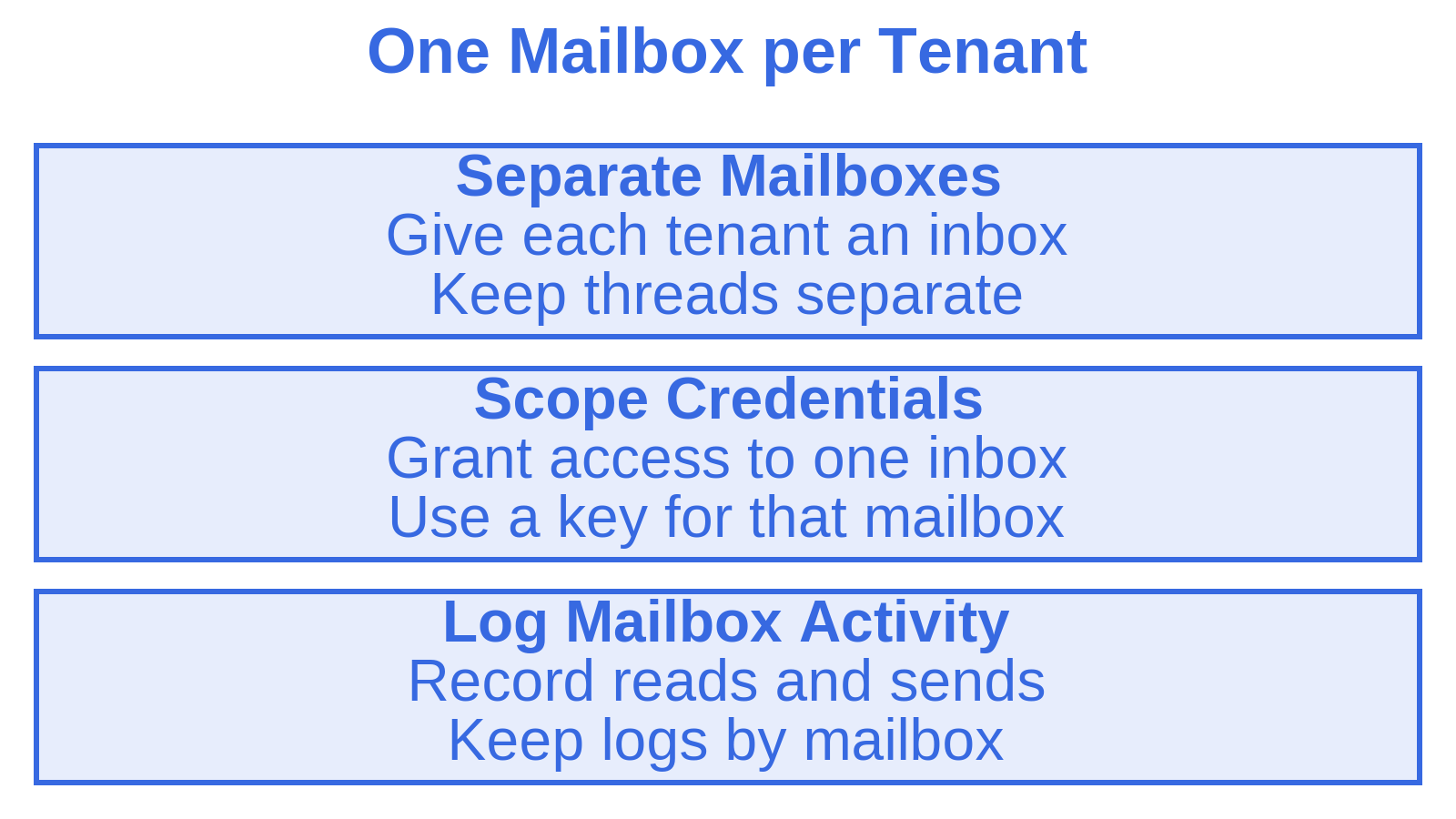
If you run a multi-tenant product, the email layer has to respect the same boundaries as the rest of your stack. A support agent for customer A must never see customer B's thread. A mailbox per tenant gives you that boundary at the address level, and per-tenant keys and logs give you it at the access and audit level.
In Qubrics, teams can create their own mailboxes. Each manual mailbox credential grants access to one mailbox. An agency can give each client a mailbox. For a platform team, staging and production can each have their own.
Onboarding can be automated on the shared @myagent.mx domain without setting up a custom DNS record. That matters when you are provisioning dozens of tenants.
What to check when choosing email infrastructure for agents
Run the same production checks on AgentMail, Nylas, Resend, Postmark, SendGrid, Amazon SES and any mail server you run yourself.
| Question | Why it matters for an agent |
|---|---|
| Does the mailbox persist? | Replies arrive days later; the agent needs threads and history, not a one-time webhook. |
| Can it send and receive in one API? | Splitting sending and receiving across vendors doubles keys, logs and billing. |
| How is it priced? | Per-inbox or per-connected-account pricing grows with every tenant; usage-based pricing grows with mail. |
| Can you bring your own providers? | Failover and weighted routing protect deliverability when one provider throttles. |
| What does the agent read? | Cleaned text with quoted history stripped cuts token cost. |
| Are there quotas and logs per mailbox? | You need them for safety and for audit. |
| Which interfaces exist? | REST, SDK, MCP, CLI and webhooks decide how easily your framework connects. |
Qubrics offers dedicated mailboxes for incoming messages and supports connected outbound providers through its Sending API.
Pricing you can model before you build
Estimate how many mailboxes you'll need and how much mail they'll handle. Check that estimate against the rates on the Qubrics pricing page.
Start with one agent and one mailbox
Start with one agent and a test mailbox. Set up the mailbox through the Qubrics homepage, send a message, then reply the next day to see if the agent can find the original thread. Check the delivery logs for the test send. Once that works, the guide to email inboxes for AI agents can help you plan the inbox around your workflow. You can upgrade from Free to Pro for more webhook capacity.
Perspective: the mailbox is the agent's identity
We build Qubrics on one conviction: an agent that works over email needs an identity before it needs intelligence. A model can write a fine reply, but if the address is a borrowed human account, the thread disappears when a token expires, and the logs belong to someone else, you do not have a product.
That is why we treat the mailbox as persistent state. The Mailbox API exposes messages, threads, folders, keywords and attachments. Agents read cleaned text with quoted history stripped, so they spend tokens on the new reply, not on the same signature repeated twelve times.
We also think sending and receiving belong together. A sending provider plus a Gmail OAuth hack plus a parser plus a webhook relay plus separate billing is five failure points for one conversation.
Real mailboxes are where that starts.
Sources
Recommended
Frequently Asked Questions
What is an AI email agent?
An AI email agent reads incoming mail and uses a language model to decide what to do next. Say a customer asks for a copy of an invoice. An assistant can draft a reply for you. An agent can look up the invoice and send the reply itself. Give it its own mailbox so it can pick up the thread when the customer writes back.
Can an AI agent have its own email address?
Yes. A Qubrics mailbox gives an agent its own address on @myagent.mx or on a custom domain you've verified for sending and receiving. It reads messages and threads through the Mailbox API and sends through the Sending API. The agent's mail stays separate from your Gmail or Outlook inbox.
Do I need a separate service for sending and receiving?
Qubrics can handle both. Read incoming mail through the Mailbox API and send through the Sending API using managed Amazon SES or a provider you connect. The delivery logs show what happened to each send.
How do I stop an agent replying to spam or looping?
Set a send limit in your app and have someone approve customer-facing or promotional mail before it goes out. If the job is filing invoices, let the incoming message trigger the filing and end the workflow there. The [E.D.D.I documentation](https://docs.labs.ai/protocols-and-integration/email-integration) explains how that setup helps prevent backscatter and reply loops.
How much does it cost to run an email agent on Qubrics?
Count the mailboxes you'll need and estimate how much mail the agent will send and receive. Use the current rates on the [Qubrics pricing page](https://sendmux.ai/pricing) to work out the bill.
